Rugged LCD Displays: What Rugged Really Means
A datasheet that says rugged, wide temperature or IP65 is a starting point for a procurement discussion, not a qualification. The same module can pass a chamber test as a bare unit and fail…
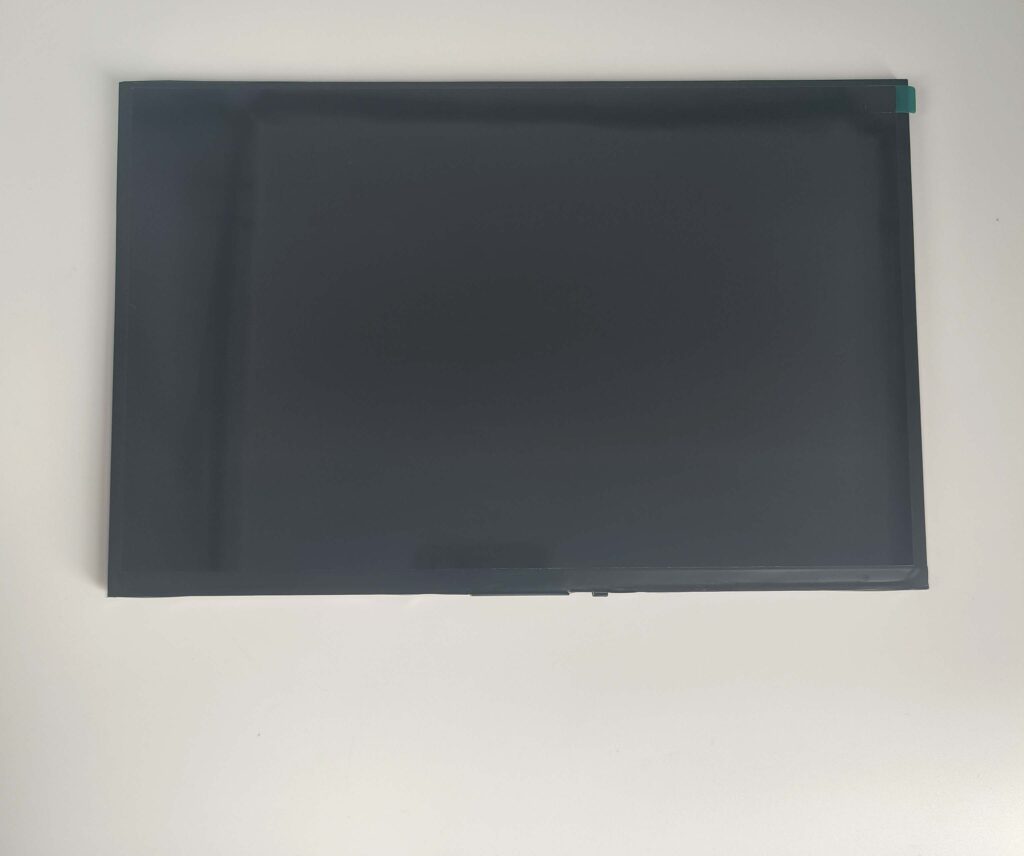
A datasheet that says rugged, wide temperature or IP65 is a starting point for a procurement discussion, not a qualification. The same module can pass a chamber test as a bare unit and fail in a sealed enclosure, or survive vibration on a test fixture and fail on a bracket that resonates. What makes a rugged display claim usable is the boundary: which article was tested, in which state, under which profile, with which functional checks and against which acceptance limit. This guide turns those questions into a qualification matrix that a design team can release and a supplier can defend.
Which rugged display boundary is actually being qualified?
Name the exact assembly boundary being qualified.
A bare module, a front-bezel assembly and a sealed enclosure are different test articles; a rating applies only to the configuration actually tested.
Rugged is not a property of a panel alone. It is a property of an assembly under a defined set of stresses. A bare TFT module has an exposed polarizer, a flex tail and no sealing. A module bonded to a cover glass and mounted in a front bezel has a different front surface and a different mechanical load. A complete enclosure adds a rear housing, connectors, a gasket and a thermal path. Each configuration has its own failure modes, and a result from one does not transfer to another.
Write the boundary into the qualification plan before choosing tests. Identify the test article by part number, build revision and mounting method, and state which surfaces are exposed, which connectors are mated and whether the unit is powered. If the product claim is made at the enclosure level, the test article must be the enclosure. If the claim is made for the module, do not let a catalog photograph or a front-glass result imply that the rear and the connectors are covered.
The industrial LCD display category shows how mounting changes the module; the qualification boundary must follow the same distinction.
How should operating conditions differ from storage conditions?
Operating and storage limits answer different questions.
Operating conditions describe performance while powered; storage conditions describe survival unpowered; both need duration, recovery time and acceptance criteria.
An operating temperature range states that the product performs its function while powered within that range. A storage range states that an unpowered unit can be exposed and later returned to service. The two are not interchangeable, and a product that survives storage at minus 40 °C may not start at that temperature, while a product that operates at plus 70 °C may degrade faster if stored there for years.
Each condition needs more than a number. State the duration, the ramp rate, the humidity where relevant, the state of the unit, the functional checks performed during and after exposure, and the recovery time allowed before the checks. A display that is black at the start of a cold soak and recovers after ten minutes is not equivalent to one that is specified to operate immediately. For storage, state whether the unit is packaged or bare, because packaging changes moisture and mechanical protection.
Separate the claims in the matrix. A single line stating a range without a state or duration invites the assumption that every combination was demonstrated.
Which failure mechanisms map to each proposed test?
Each test must map to a mechanism, not a checklist.
Cycling targets expansion mismatch, damp heat targets moisture, vibration targets fasteners and flex, salt mist targets corrosion; a test without a mechanism has no criterion.
A test is useful when it accelerates a mechanism that could occur in service and when the result can be judged against a failure criterion. Temperature cycling stresses the difference in expansion between the cover glass, adhesive, polarizer and panel, and can open an edge delamination or a solder joint. Damp heat stresses moisture ingress and insulation, and is judged by function, insulation resistance or visible condensation. Vibration stresses fasteners, brackets, connectors and flex fatigue, and is judged by continuity, optical function and mechanical integrity. Salt mist stresses corrosion of exposed metal, connectors and coatings.
The mechanism determines the profile and the measurement. A random vibration profile copied from another product may excite a different resonance and prove nothing about this bracket. A thermal cycle with a slow ramp may never reach the differential that the real diurnal cycle produces. The NIST guidance on acceleration-model selection makes the same point for life testing: identify the failure mechanism before choosing a model, because the model is only valid for that mechanism.
Write the expected mechanism and the failure criterion next to each test. If the team cannot state either, the test is a ritual and should be replaced.
What changes when panel and enclosure are tested together?
Enclosure testing changes the loads and the failure paths.
Adding a bezel, gasket and rear housing changes heat paths, sealing and mechanical load, so module and system results do not substitute for each other.
A sealed enclosure changes the thermal environment. Heat from the backlight and the electronics has fewer paths to escape, so the panel may run hotter than it did on the bench. A gasket that seals the front also traps moisture that enters during assembly or passes through a cable gland. A bezel that improves impact resistance may press on the front stack and create mura. These are system effects, and they can appear only when the system is tested.
The reverse is also true. A system-level pass does not qualify the bare module for a different enclosure, and it does not tell a module supplier that the panel is robust on its own. If the product is sold as a module and integrated by the customer, the module claim and the customer’s enclosure claim must be kept separate. The second-source qualification guide covers the evidence needed when the same module is used across different builds.
Record the enclosure material, the gasket type and compression, the connector sealing and the mounting torque. A qualification result without the assembly definition cannot be reproduced, and a change to any of those variables is a change to the test article.
How should touch and optics be checked during exposure?
Check touch and optics during exposure, not after.
A display can recover after a chamber run yet fail during it; log luminance, contrast, touch accuracy and false contacts while the stress is applied.
Many failures are transient. A panel may dim at the cold limit and recover as it warms, a touch controller may report false contacts while condensation is present, and a heater may restore operation before the post-test check. If the only measurement is taken after recovery, the failure disappears from the record.
Define checkpoints inside the exposure: at the start, at the soak temperature, at the transition and at the end of the recovery period. At each checkpoint, record luminance and contrast at a defined point, the presence of mura or condensation, touch accuracy at a small set of targets, and the count of false contacts. Use a test pattern that makes a partial failure visible, and keep the same pattern and instrument throughout. For touch, include the glove, water and grounding conditions that the product is specified for, because a dry bare-finger check can pass while the real use case fails.
Optical checks during exposure are also diagnostic: a colour shift only at the cold checkpoint points to the liquid crystal or backlight, while haze only at high humidity points to moisture.

Which evidence distinguishes a rating from a test report?
A rating is a claim; a report is evidence with scope.
An IP code states a classification; a test report identifies the sample, fixture, method, conditions and result, and shows what was actually demonstrated.
An ingress protection code comes from a standard, and the IEC 60529 catalogue entry identifies the standard and its scope. The code describes a classification for the tested enclosure, not a blanket assurance for every unit or every mounting. The IEC overview of IP ratings is useful for explaining the two digits, but it is not a test report and does not establish that a particular product was tested.
A report should identify the laboratory, the test article and its revision, the fixture and orientation, the method and profile, the conditions actually measured, the functional checks and the result. It should also state deviations and any retest. A certificate of compliance without a report may confirm that a process or product family was assessed, but it does not show the environmental result for this build.
A standard name on a module datasheet follows the same logic: a mention of a military or industrial standard is not evidence that the module was tested to it. Ask for the test article and report scope before repeating the claim.
How are deviations and retests handled?
Record deviations and retests as part of the result.
If a sample is reworked, a fixture changed or a test stopped early, record it; a retest that hides the first result cannot support a qualification claim.
Deviations are normal in qualification. A fixture may need a modification, a sample may be replaced, or a chamber may lose control for part of a run. What matters is that the deviation is recorded, its effect on the result is assessed, and the decision to accept, repeat or reject is documented. A report that shows only the final successful run is not a qualification record; it is a selected result.
Retests should be planned with the same rigour as the original test. State why the first result was invalid, what changed, and which samples were used. If a retest uses a new sample, say so, because the original failure may still indicate a population issue. If a sample is reworked before retest, record the rework and treat the result as a different test article.
Keep the failed data. A failure that is understood and corrected is stronger evidence than a clean pass with no history, because it shows the mechanism and the corrective action. That principle is also the basis of the NIST accelerated life testing guidance: the purpose is to expose and understand the failure, not to produce a favourable number.
What qualification matrix belongs in design release?
The matrix ties each claim to evidence and an owner.
A release matrix should list each claim, the test article, method and profile, functional and optical checks, acceptance limit and the document that proves it.
The matrix is the one page that prevents a datasheet claim from floating free of its evidence. Each row is a claim the product will make: an operating range, a storage range, an ingress classification, a vibration level, an impact resistance or a salt-mist exposure. Each column records how that claim is demonstrated and who owns the result. A claim without a row should not appear in the specification.
Include the test article revision, because a change to the bezel, gasket, cover glass or panel invalidates the row. Include the functional and optical checks, because a mechanical pass with a dead touch sensor is not a pass. Include the acceptance limit and its source, and the report or certificate identifier. Where a claim depends on a material property, such as the cover glass, cite the material data separately rather than treating it as an assembly result; the Corning Gorilla Glass 3 product information is an example of material data that describes the glass, not the mounted display.
Accelerated life estimates need an additional note. A predicted life is only as good as the assumed mechanism and activation energy, and the NIST Arrhenius model page and the physical acceleration discussion both make the model conditional on the same failure mechanism. Do not publish a years-to-failure figure without that condition.
| Stress or profile | Sample operating state | Fixture or boundary | Functional and optical checks | Report scope |
|---|---|---|---|---|
| Operating temperature | Powered, running test pattern | Production enclosure and mounting | Luminance, contrast, touch accuracy at checkpoints | Assembly revision and profile |
| Storage temperature | Unpowered, packaged | Packaging and orientation defined | Post-recovery function and optics | Package and duration |
| Damp heat | Powered and unpowered sets | Sealed enclosure with cable entries | Condensation, insulation, touch false contacts | Humidity, duration, recovery |
| Random vibration | Powered | Production bracket and torque | Continuity, optics, fastener and flex condition | Axis, profile, fixture drawing |
| Ingress protection | Unpowered and powered where specified | Complete enclosure, all entries sealed | Water or dust entry, post-test function | IP code and test method |
CDTech’s quality documentation lists ISO 9001, ISO 14001, ISO 13485 and IATF 16949 certificates. Those certificates describe the management system and its scope; they do not qualify a particular module or enclosure. A supplier can support the qualification with inspection and reliability records, but the claim still has to match the test article.
FAQ
Can a front-glass impact result describe the entire mounted assembly?
No. An impact test on the front glass describes that glass, its thickness and the fixture that held it. It does not describe the bezel, gasket, rear housing or the panel behind the glass. If the product claim covers the mounted assembly, the test article must be the mounted assembly, with the same stack and fixing method used in production.
Should operating and non-operating exposure results be separated?
Yes. A powered display can fail during exposure because of thermal load, condensation or touch interference, while an unpowered sample may survive the same profile and recover. Report the two states separately with the duration, the functional checks and the recovery time, and do not merge them into a single pass statement.
Does a supplier test report transfer automatically after enclosure changes?
No. A new bezel, gasket, rear housing or mounting point changes the thermal path, the sealing boundary and the mechanical load. The previous report describes the previous configuration. Review the change against the report scope and retest the affected stresses, or state clearly that the claim does not cover the new configuration.
If a rugged display claim needs a test article definition before release, send the assembly drawing, mounting method and target environmental profile to the CDTech engineering team. The team can align the module configuration, inspection records and qualification evidence with the boundary the product actually claims.
Related articles
 Optical Bonding: OCA vs OCR Comparison for Rugged DisplaysIndustrial & Specialist Displays
 Solar Inverter and Combiner Box Displays: Readability in Direct SunlightIndustrial & Specialist DisplaysTransparent, Reflective and High-Ambient Retail Displays: Where LCD Still WinsIndustrial & Specialist Displays
 Passenger Information Displays for Buses and Trains: Standards, Readability and ReliabilityIndustrial & Specialist Displays