PCAP vs Resistive Touch for Automotive In-Vehicle HMI
The center stack, the instrument cluster, and the entry-level radio face the same question with different answers: capacitive (PCAP) or resistive touch? In a car, the decision is not about which technology is "newer."…
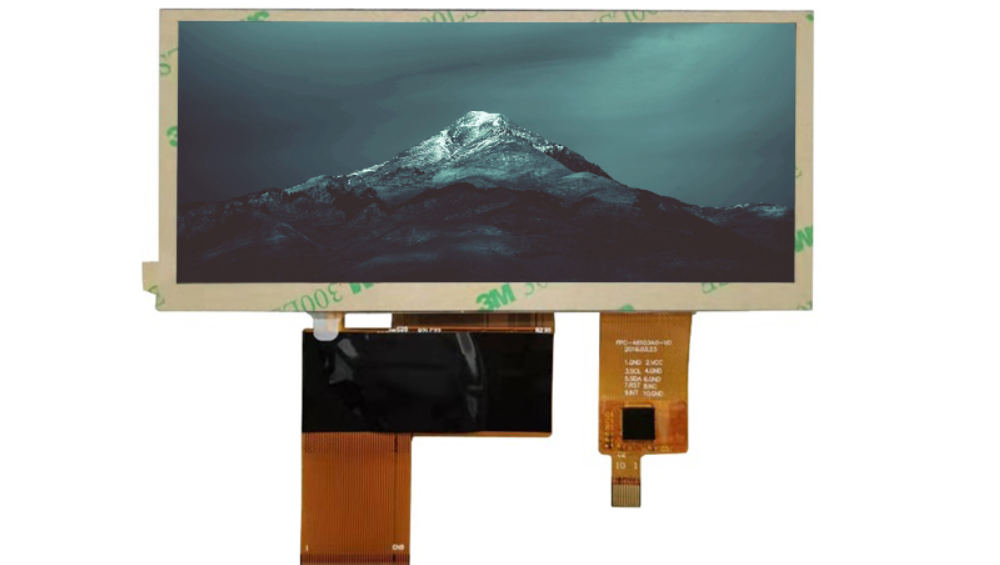
Part of the Vehicle LCD Displays guide — 25 articles on specifying, replacing and qualifying automotive TFT modules.
Touch Technologies in Vehicles: PCAP vs Resistive
PCAP touch detects changes in capacitance at intersections of an electrode grid, which is why it supports multi-touch, gestures, and a glass top surface. Resistive touch detects pressure between two conductive layers, which is why it responds to any object that presses—including a thick glove or a stylus—and why it can be built with a plastic or film surface.
For the underlying physics and a full technology comparison outside the car, see the general PCAP vs resistive guide. In the vehicle, the comparison comes down to five factors: glove and rain behavior, optical quality, durability in the cabin environment, cost, and the interaction patterns your UI requires.
How PCAP and Resistive Touchscreens Perform with Gloves and Rain
Thick gloves are the classic resistive advantage: a press is a press, so a gloved finger works without tuning. PCAP can also work with gloves, but only when the controller has a glove mode that raises sensitivity to detect the larger, weaker signal through the glove material.
Water is the opposite case. Rain on a resistive screen can create false presses or dead zones because water bridges the layers; PCAP controllers with wet-mode filtering can reject droplets and track the intended finger. If the product must work reliably in rain, wet rejection is a PCAP strength—but only when the controller and tuning support it. The techniques for glove and wet operation are covered in depth in the glove-and-rain touch guide; in this comparison, treat glove mode and wet mode as controller capabilities you must verify, not automatic properties of either technology.
Optical Performance: Transmittance and Readability Compared
PCAP panels typically use a glass cover with higher light transmittance and fewer optical layers than resistive film, which helps in sunlight and at wide viewing angles. Resistive film adds layers that scatter light and reduce contrast, so the same backlight looks dimmer behind a resistive touchscreen.
In a bright cabin, that optical penalty matters: the HMI must stay readable in daylight, and the optical stack (cover glass, anti-reflection treatment, bonding) interacts with the touch choice. Our sunlight-readable automotive display guide covers the brightness and optical design side; the takeaway here is that PCAP usually starts with an optical advantage, and resistive needs more brightness or a better stack to close the gap.
Durability Under Vibration and Temperature: Which Touch Survives
Both technologies survive automotive temperature ranges when specified correctly, but their failure modes differ. Resistive screens wear where the film is pressed repeatedly, and the air gap inside the stack can change behavior with temperature. PCAP has no moving layers, so wear is less of a factor, but its controller, bonding, and cover glass must be qualified for the cabin environment.
Durability claims belong in test reports: thermal cycling, humidity, vibration, and touch-life data with named methods. The test methods themselves are covered in the vibration and reliability testing guides; for the touch comparison, require evidence that the full stack—cover, sensor, bonding, controller—passed the vehicle environment, not just the sensor alone.
Cost Differences: What the PCAP Premium Buys You
PCAP generally carries a higher module cost than resistive for the same size, driven by the sensor, controller, and cover glass stack. Industry experience is that the premium buys multi-touch gestures, better optical quality, and a modern glass surface. Resistive remains competitive where the UI is simple, gloves are standard, and program cost is tight.
Premium figures vary by size, volume, and stack configuration and are treated here as an industry range, not a quote. Confirm pricing for your specification with suppliers.
Do not compare only module prices. A PCAP UI can remove physical buttons and their harness cost, while a resistive screen may require a brighter backlight to stay readable—compare the system cost, not the touch panel line item.
Automotive Touch Choice Patterns: Center Stack vs Entry Level
| Use case | Typical choice | Why |
|---|---|---|
| High-end center stack / infotainment | PCAP | Multi-touch gestures, glass surface, optical quality |
| Entry-level radio / HVAC panel | Resistive often sufficient | Simple taps, cost control, glove-tolerant |
| Glove-heavy operation (utility, agriculture) | Resistive, or PCAP with verified glove mode | Reliability with thick gloves depends on controller tuning |
| Outdoor or wet exposure (convertibles, marine-adjacent) | PCAP with wet rejection | Water filtering beats resistive rain behavior |
The pattern is not a rule: a mid-tier vehicle may choose PCAP for brand feel, and a work vehicle may choose resistive for glove reliability. Define the interactions, the environment, and the program cost first; the technology choice then follows.
Frequently Asked Questions
Which touch works better in cars: PCAP or resistive?
PCAP is usually better for modern, gesture-driven HMIs with glass surfaces and good optics; resistive remains practical for simple, glove-heavy, cost-sensitive controls. The right answer depends on your UI and environment.
Do resistive touchscreens handle thick gloves?
Yes—resistive responds to pressure, so a gloved press works without sensitivity tuning. PCAP can also work with gloves when the controller supports a glove mode.
How do PCAP and resistive compare in sunlight?
PCAP stacks typically transmit more light and keep contrast higher, so they are usually easier to make sunlight-readable. Resistive needs a brighter backlight or a stronger optical stack to match.
Which touch type do center stacks use?
Most modern center stacks use PCAP for multi-touch gestures and glass-surface quality. Entry-level panels and glove-heavy controls more often use resistive.
If you are choosing touch for a vehicle program, define the interactions, glove expectations, and sunlight exposure first, then compare the full stack cost. CDTech reviews automotive display and touch specifications for the vehicle LCD range—contact us to discuss your HMI requirement.
Related articles
 How to Port Linux and Android Touch Drivers for Automotive ModulesVehicle & Automotive Displays
 How Custom Automotive Displays Reach PVT FasterVehicle & Automotive Displays
 Automotive Wide-Temperature Displays: Designing for -40 C to +85 C OperationVehicle & Automotive Displays
 Headrest and Rear-Seat Entertainment Displays: Choosing Between LCD, OLED and ProjectionVehicle & Automotive Displays