Headrest and Rear-Seat Entertainment Displays: Choosing Between LCD, OLED and Projection
Rear seat entertainment displays compared: LCD, OLED and projection on lifetime, viewing angle, night dimming, mounting, thermal budget and screen size.
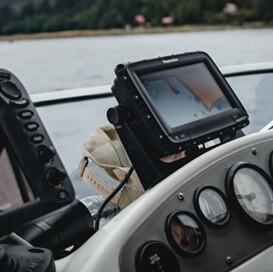
Rear-cabin screens are specified by people who spend most of their time on front-cabin HMI, and the assumptions do not transfer. The rear passenger sits closer, views at an angle, watches for hours rather than seconds, and is often a child in a dark cabin at night. Those four facts change the display choice far more than peak brightness or contrast marketing does.
Part of the Vehicle LCD Displays guide — 23 articles on specifying, replacing and qualifying automotive TFT modules.
How rear-seat viewing conditions differ from front-cabin HMI
Long dwell time with off-axis viewing changes the priority order.
A cluster is glanced at; a rear screen is watched continuously for an hour or more without a fixed head position. That makes viewing-angle stability, luminance uniformity and comfortable brightness more important than peak output, and it makes flicker and PWM artefacts far more noticeable. It also means the screen must behave at very low luminance, because a bright panel in a dark cabin at night is uncomfortable rather than impressive.
The second difference is mechanical: the screen is mounted in a headrest, a seat-back or a ceiling unit where impact requirements, cable routing and service access all constrain the design. A module that satisfies every optical requirement but cannot be serviced without removing a seat is the wrong module, however good its contrast ratio is.
LCD vs OLED: lifetime, burn-in risk and cost at 11-15 inches
At 11 to 15 inches, LCD still owns the cost and lifetime argument.
OLED delivers better contrast in dark scenes and thinner stacks, which suits premium rear-cabin designs. The trade is lifetime and burn-in: static interface elements, channel logos or game HUDs that sit in the same position for hours age unevenly, and the display is expected to last as long as the vehicle platform. LCD has no equivalent ageing mechanism for static content, and its cost per inch at these sizes remains lower.
The decision usually comes down to content profile. Video-centric rear entertainment with premium expectations can justify OLED; mixed content, long duty cycles and platform-wide cost targets usually point to LCD with optical bonding, which recovers much of the perceived contrast by removing the internal air gap. Panel-level technology maturity across large sizes is tracked by Innolux and AUO, and market-level display technology coverage is available through LEDinside.
Motion sickness, distance and viewing-angle requirements
Angle stability matters more than the on-axis specification.
Passengers view at 20 to 40 degrees off axis and shift position, so the useful specification is the contrast and colour at the usable angles, not the centre-of-screen figure. The usual symptom of a poor choice is a screen that looks excellent in the demo seat and washed out for the passenger behind the driver. Bonded LCD assemblies improve this because removing the air gap reduces internal reflections that vary with angle.
Motion sickness is a cabin design issue rather than a display specification, but the display contributes through brightness and image stability: a screen that flickers or dims abruptly adds to discomfort. Specify flicker limits across the dimming range and confirm them at the luminance levels actually used in a moving vehicle, which are far below maximum.
Ambient light control: why night mode matters more than peak brightness
The dimming floor decides whether the screen is usable at night.
A rear screen faces changing ambient light and is often used with the cabin lights off. If the display cannot dim smoothly to a low luminance, night viewing is uncomfortable and the cabin looks poorly engineered. The specification should therefore state a luminance floor with a flicker limit and a dimming curve, not only a maximum brightness.
Daytime readability still matters, especially through rear windows with low tint. A bonded, anti-glare front and a brightness headroom of a few hundred nits above the cabin ambient handles most cases; chasing extreme brightness at the cost of night-time dimming quality is the wrong trade for this application.
Touch vs remote vs voice input in the rear cabin
Touch belongs on the passenger screen; children use remotes.
A touchscreen in the rear cabin is used at arm’s length with an unsteady hand in a moving vehicle, so target size and touch accuracy specs are more demanding than on a dashboard. Projected capacitive touch behind cover glass is the robust choice, with a controller tuned for the glass thickness and for occasional sticky fingers. Physical buttons and remotes remain practical for volume and source selection, and voice control removes the reach problem entirely where the platform supports it.
Where children use the screen, add the practical requirements to the specification: no exposed sharp edges on the front assembly, a bond strong enough to survive repeated cleaning, and an anti-fingerprint treatment that can be reapplied in service if the surface degrades.
Mounting, crash safety and head-impact requirements
Integration decides feasibility long before optics do.
A rear screen sits in the passenger compartment, so its mounting must survive crash loads and its front surface must behave predictably if struck. That is a vehicle-level requirement, but it constrains the display: glass thickness, bonding method, bezel design and the attachment points all contribute. A thick, well-bonded front assembly is structurally stiffer but heavier and harder to integrate into a thin seat-back.
Bring the display supplier into the mechanical design early. The SAE standards programme covers many of the test methods referenced in vehicle interiors, and rear-visibility regulation for camera-based mirror replacements, 49 CFR 571.111, illustrates how closely vehicle display placement is tied to regulation in the United States.
Power and thermal budget behind a seat
A seat-back screen has no airflow and little volume.
Rear screens are mounted in an enclosed shell with no fan and limited ventilation, so heat accumulates from the backlight and from the host electronics behind the panel. At the same brightness, a larger screen produces more heat; at the same size, a brighter screen does. The thermal budget therefore sets a practical ceiling on brightness and on how thin the housing can be.
The mitigation is a designed heat path to a metallic structural element and a brightness strategy that reduces output when the enclosure is hot. Specify the maximum internal air temperature and require a thermal test at full brightness in that condition, not an estimate from the datasheet.
Aftermarket vs OEM supply paths and their quality gap
The hardware can look identical while the records differ completely.
Aftermarket rear-seat systems optimise purchase price and time to market; OEM programmes optimise traceability, change control and validation. The visible difference in the product may be small, but the invisible difference is large: incoming inspection data, lot traceability, thermal and vibration test reports, and a defined process change notification when a component changes.
If the screen carries the vehicle’s brand or is covered by the vehicle warranty, the OEM path applies by default. Where an aftermarket supplier is used, at minimum require lot traceability, a fixed bill of materials with named panel and driver IC, and notification before any change. Internal electronics should be designed against a recognised safety standard such as IEC 62368-1.
Selection matrix for 10.1-inch, 12.8-inch and 15.6-inch rear screens
Use the screen size to narrow the technology, then use the content profile to choose.
| Criterion | 10.1-inch class | 12.8-inch class | 15.6-inch class |
|---|---|---|---|
| Typical use | Headrest, individual passenger | Seat-back, shared two-seat view | Ceiling or bulkhead, multi-passenger |
| Technology bias | LCD with bonding | LCD with bonding; OLED where premium contrast is required | LCD; OLED cost and lifetime risk increase |
| Viewing angle | Moderate, single viewer | Wide, two viewers | Wide, several viewers |
| Night requirement | Low luminance floor, flicker-free | Low luminance floor, uniform dimming | Low luminance floor, avoid bright hotspots |
| Thermal risk | Low to moderate | Moderate | Highest – housing volume is limited |
| Mounting | Headrest shell | Seat-back structure | Fixed structure, service access planning |
How to define a validation plan for a passenger-facing display
Validate at the luminance passengers actually use.
A rear-screen validation plan should cover thermal cycling in the installed enclosure, vibration and shock in the mounting configuration, impact on the front surface, optical performance at low and high luminance, and touch accuracy under motion. Add a durability cycle in which the screen is cleaned repeatedly with the chemicals the vehicle’s interior is expected to tolerate, because the front surface is handled and wiped far more than a dashboard.
Two practical additions: measure flicker across the whole dimming range, and validate the viewing angles at the passenger’s actual eye position rather than on axis. Both are cheap to test and expensive to discover in a customer complaint.
FAQ
Is OLED a better choice than LCD for rear-seat screens?
OLED wins on contrast in dark scenes and on stack thickness, which suits premium cabins. LCD wins on cost per inch, lifetime under static content and predictable behaviour over a long platform life. If the content is mostly video with a premium requirement, OLED is defensible; for mixed content and long duty cycles, bonded LCD is usually the lower-risk choice.
How bright should an in-car rear screen be?
Bright enough to stay legible against daytime cabin light with anti-glare treatment, and dimmable enough to be comfortable at night. The dimming floor matters as much as the peak: specify a luminance floor with a flicker limit and a smooth dimming curve rather than choosing a maximum figure alone.
Do rear screens need the same qualification as a dashboard display?
They need the same disciplines – thermal, vibration, impact, traceability and change control – with a different emphasis. Rear screens spend more time at moderate brightness with long duty cycles and are handled more, while dashboards face higher solar load. The validation plan should follow the installed conditions, not a single corporate profile.
Can an aftermarket rear-seat screen be used in a warranty-covered vehicle?
Only with the vehicle manufacturer’s approval, and usually not without evidence of traceability, a fixed bill of materials and change notification. Where the screen carries the brand or the warranty, buyers normally require the OEM supply path with documented validation records.
Next step
Send the screen size, mounting envelope, content profile and night-brightness expectation to CDTech for a rear-cabin display proposal covering panel, touch, bonding and cover glass as one assembly.
Contact sales@cdtech-lcd.com or use the contact page; vehicle display options are listed under vehicle LCD displays.
Related articles
 Automotive Wide-Temperature Displays: Designing for -40 C to +85 C OperationVehicle & Automotive Displays
 PCAP Touch Screens for Vehicles: EMI, Gloves, Water and Everything Else That Breaks ThemVehicle & Automotive DisplaysHow to Manage LCD End-of-Life in Vehicle Programs Without Redesigning the ModuleVehicle & Automotive DisplaysHow to Qualify an Automotive LCD Display Supplier for an IATF 16949 ProgramVehicle & Automotive Displays