eDP vs LVDS for Automotive 2K and 4K Displays
The eDP vs LVDS decision usually arrives when an industrial HMI reaches the point where its panel is end-of-life or the next resolution is only available in eDP. The first proposal is usually a…

The eDP vs LVDS decision usually arrives when an industrial HMI reaches the point where its panel is end-of-life or the next resolution is only available in eDP. The first proposal is usually a bridge, followed by the assumption that the existing cable and enclosure can stay. Sometimes that works. Often the host cannot provide the required link, the connector carries a different pinout, or the bridge adds a configuration surface that nobody owns. This comparison builds a migration matrix from the constraints outward, so the decision is made before the board is respun.
Part of the Vehicle LCD Displays guide — 25 articles on specifying, replacing and qualifying automotive TFT modules.
Which eDP vs LVDS migration constraints come from the host?
The host interface decides whether a bridge is needed.
If the SoC exposes only LVDS, an eDP panel needs a bridge, and the reverse also applies; either bridge adds power, configuration and latency constraints.
Start with what the host can actually drive. An LVDS host provides one or more differential pairs and a pixel clock, with the mapping fixed by the SoC or transmitter. An eDP host provides a main link plus an auxiliary channel and performs link training. If the host has only one of these, the other requires a bridge, and the bridge becomes part of the display subsystem that must be powered, configured, reset and diagnosed.
The host also constrains the maximum resolution and refresh rate. An LVDS transmitter has a maximum pixel clock and a fixed number of pairs; an eDP host has a maximum lane count and link rate. A panel that fits the physical connector but exceeds the host’s pixel clock will not run at its native mode, and a bridge may add its own limit below the host’s. These limits come from the host datasheet and the bridge datasheet, not from the panel alone.
Finally, the host constrains the software path. An LVDS panel usually has a fixed mode in the device tree or firmware. An eDP panel may require link training, DPCD reads and a power-sequence state machine. The migration plan should name the driver owner and the bring-up path before the hardware is ordered.
How do pinout and rail differences affect reuse?
Pinout, rails and connector orientation rarely carry over.
LVDS uses differential pairs plus a clock, while eDP adds an auxiliary channel and different rails; the connector may look similar while the pin assignment is not.
An LVDS interface typically consists of one to four data pairs plus a clock pair, with a mapping that can follow VESA or JEIDA conventions. An eDP main link uses one, two or four lanes, with an auxiliary channel for capabilities and control. The two links are not pin-compatible even when they use the same connector family. Lane polarity, pair order, AC-coupling and the location of the auxiliary pins all have to be checked.
Rails differ as well. eDP panels often require a logic rail, a panel power rail and a backlight supply, and the sequence between them is part of the panel specification. LVDS panels have their own sequence. A replacement that changes the rail order, or that expects a different enable polarity, will not work with the existing board even if the connector mates. Back-powering through the auxiliary or lane pins is a risk when the new panel’s rail is not up while the host is already driving.
Record the pinout from both drawings and verify it with continuity on an unpowered sample. Then measure the rails and the sequence on the actual host. The comparison belongs in the migration matrix, not in a note on a schematic.
What changes in link initialization and control?
eDP negotiates the link; LVDS runs at a fixed clock.
An eDP source trains the link and reads panel capabilities over AUX, while LVDS depends on a fixed pixel clock and mapping, so diagnostics differ.
An LVDS link is established by the host’s transmitter and the panel’s receiver. Once the pixel clock, mapping and timing are correct, the link runs without negotiation. There is no link training, no auxiliary channel and no standard way for the panel to report its capabilities. Diagnostics are limited to what the host can infer from the image and from its own transmitter status.
An eDP link is negotiated. The source reads the panel’s capabilities, trains clock recovery and channel equalization, and then sends video. The auxiliary channel carries control traffic, including backlight control in some implementations. This gives the host more information and more failure modes. A link that fails training, a deferred auxiliary transaction or a panel that reports an unexpected capability all become part of the bring-up.
That difference changes the migration cost. An LVDS design may need only a new mode table. An eDP design needs a driver path that handles training, retries and panel power sequencing. The Linux DRM KMS documentation describes the display pipeline and mode responsibilities; the panel and bridge drivers implement the link-specific behaviour behind that interface.
Which timing assumptions stop being portable?
Timing stays panel-specific even at the same resolution.
Blanking, sync polarity, clock frequency and setup and hold margins differ between panels of the same size, so an existing mode table may not fit.
Two panels with the same 1920 by 1080 resolution can require different horizontal and vertical blanking, different sync polarity and a different pixel clock. The host’s existing mode table was built for one panel; applying it to another may produce a shifted image, a wrong refresh rate or no lock at all. The panel drawing is the source for the timing values, and the host or bridge datasheet is the source for the achievable range.
An eDP link adds another layer. The main link carries a symbol stream, and the panel reconstructs the pixel timing from the stream and its own configuration. The relationship between the link rate, the lane count and the pixel rate is not arbitrary; the bridge or host must be configured so that the available bandwidth covers the mode with the required blanking. A mode that fits an LVDS transmitter’s pixel clock may still exceed an eDP bridge’s usable bandwidth after overhead.
Record the full timing set for both panels, not just the active resolution. Compare the pixel clock, blanking, sync polarity and refresh rate, and note which values the host can generate. A mismatch that is invisible at 60 Hz may appear at a different refresh or temperature.
How should cable and connector reuse be assessed?
Reuse a cable only after impedance and pinout checks.
The connector may mate while pair count, impedance, shielding and pin assignment differ, so check continuity and impedance before power-on.
The cable is part of the channel. LVDS and eDP both use differential pairs, but the required pair count, the AC-coupling arrangement, the auxiliary channel and the connector pinout can differ. A cable that was designed for a four-pair LVDS link may not carry an eDP auxiliary pair in the right place, and a cable with the right pin count may have the wrong pair assignment.
Measure continuity end to end, including the shield and ground returns. Check the differential impedance and, where the link is marginal, the insertion loss at the relevant frequency. Inspect the connector for wear and for the retention feature that keeps the cable seated under vibration. A cable that passes on the bench may fail when the enclosure is closed and the harness is routed around a bend.
The TI guidance on LVDS impedance and termination is a reminder that the termination must match the actual channel, not a generic value. The same discipline applies to any high-speed display link: the channel and the termination are one design.
What can a bridge solve and what remains unchanged?
A bridge converts the link, not the optics or mechanics.
A bridge translates eDP to LVDS or the reverse, but cannot correct panel size, mounting, touch stack, brightness or thermal behaviour, and adds configuration.
A bridge is a protocol translator. It can take a host interface and produce the panel’s interface, and it can provide the timing and control registers needed to make the link work. It cannot change the panel’s optical output, its mechanical envelope, its touch stack or its thermal limits. Those remain part of the panel and assembly qualification.
The bridge also adds constraints. It needs power, a reference clock, configuration and a reset sequence. It may add latency, and its own maximum resolution or lane rate may be lower than the host’s. Its datasheet defines what it supports; a bridge that converts DSI to LVDS, such as the SN65DSI83, does not thereby support every LVDS panel or every timing. A bridge that produces eDP, such as the SN65DSI86, has its own auxiliary-channel and link-training behaviour.
If the host exposes only eDP and the panel is LVDS, the bridge must be selected for that direction and qualified on its own datasheet; the parts named here are examples of device-specific bridge functions, not a universal migration path.

Which tests prove an equivalent image and sleep behavior?
Compare patterns, power states and resume behaviour.
Test grey ramps, colour fields, text and moving content at the same settings, then repeat across boot, suspend, resume and retrain to prove stability.
The image test should use patterns that expose mapping and timing errors: a horizontal and vertical grey ramp, single-pixel checkerboards, colour fields and fine text. A wrong lane order often shows as a colour swap or a repeated block; a timing error shows as a shift, a tear or a missing edge. Compare the replacement against the original at the same brightness and ambient light, and record the result rather than relying on memory.
The power test should cover boot, suspend, resume and link retrain. An eDP link may retrain after resume, and a marginal cable or bridge setting can fail only at that point. Measure the time from resume to a valid image, and record whether the panel reinitialized or retained its state. For an LVDS design, check that the host restores the correct mode and that the backlight enable follows the expected sequence.
Repeat the tests at the temperature and supply extremes the product specifies. A link that works at room temperature may fail cold, and a bridge that works at nominal voltage may drop out during a supply transient. The Linux device power management documentation describes the suspend and resume callback order that the driver must respect.
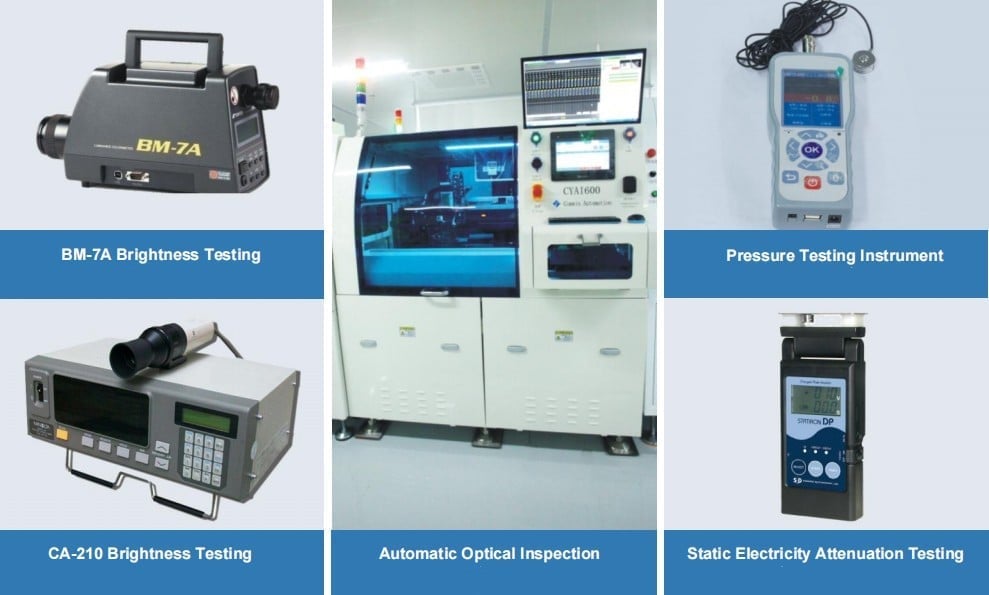
Migration decision table and sign-off evidence
The sign-off table records every host, panel and bridge constraint.
Approve migration only when each row shows the host setting, panel requirement, cable condition, diagnostic evidence and resulting compatibility decision.
The table should be completed before the redesign is released. Each row is a constraint that can stop the migration, and the decision column records whether it was resolved, accepted with a deviation or left open. A row that says open is not a sign-off; it is a risk that has been made visible.
Attach the measurements behind each row: the pinout continuity record, the rail sequence capture, the timing comparison, the image test result and the suspend and resume log. The sign-off should name the person who accepted each deviation, because a migration that is approved by consensus without an owner tends to reopen during production.
| Host or bridge setting | Panel requirement | Cable or pin condition | Diagnostic evidence | Compatibility decision |
|---|---|---|---|---|
| Native LVDS output | LVDS panel, pair count and mapping | Pair order, clock pair, shield | Continuity and image pattern | Direct if timing matches |
| Native eDP output | eDP panel, lane count and rate | AC coupling, AUX pair, impedance | Link training log and image | Direct if training passes |
| DSI host with LVDS bridge | LVDS panel timing and rails | Bridge output mapping and clock | Bridge register log, rail capture | Bridge required |
| DSI host with eDP bridge | eDP panel capabilities and power | AUX routing, lane polarity | Training log, DPCD read | Bridge required |
| Existing cable reused | Pair count and impedance | Length, bend radius, connector wear | Insertion loss and continuity | Only with measured margin |
The LVDS versus MIPI comparison covers the neighbouring interface decision; this page owns the eDP versus LVDS migration record. A display supplier can help by providing the panel drawing, the timing table and the interface definition for the proposed module, but the host-side decision remains with the product team. CDTech’s custom display work starts from those interface and mechanical constraints rather than from a catalogue part number.
FAQ
Can an LVDS cable be reused purely because its connector fits?
No. A mating connector does not confirm pair count, differential impedance, pin assignment, shielding or the presence of AC-coupling capacitors required by the new link. Continuity, impedance and insertion-loss checks belong before the first power-on. Reusing a cable is a decision supported by measurements, not by the connector keying.
Must a replacement panel advertise the same EDID identity?
For an eDP design, the panel’s capabilities are discovered through the auxiliary channel and DPCD rather than only through an EDID block. A different panel may legitimately present different capabilities. What matters is that the host, bridge and panel agree on the mode, lane count and rate. Copying an old identity can hide a mismatch instead of resolving it.
Should an interface migration trigger a new EMC review?
It should be assessed. A different link rate, lane count, cable routing or connector can change radiated emissions and immunity. The review may conclude that existing evidence still applies, but that conclusion needs a documented comparison of the physical layer, not an assumption that the display interface is unchanged.
Are all LVDS cables the same?
No. LVDS cables differ in pair count, mapping, impedance, shielding, length and connector pinout. A cable built for one panel may carry the same number of pairs with a different assignment. The drawing and a continuity check decide whether it is suitable, not the appearance of the connector.
If an existing HMI needs to move from LVDS to eDP, send the host interface, panel drawing and cable definition to the CDTech engineering team for a migration review before the board layout is fixed.
Related articles
 How to Port Linux and Android Touch Drivers for Automotive ModulesVehicle & Automotive Displays
 How Custom Automotive Displays Reach PVT FasterVehicle & Automotive Displays
 Automotive Wide-Temperature Displays: Designing for -40 C to +85 C OperationVehicle & Automotive Displays
 Headrest and Rear-Seat Entertainment Displays: Choosing Between LCD, OLED and ProjectionVehicle & Automotive Displays