How to Write a Display Requirement Specification a Supplier Can Actually Quote
How to write a display requirement specification a supplier can quote: the parameters that matter, what to leave flexible and how to avoid a non-quotable brief.

The most common cause of a poor first quotation is a brief that leaves the supplier guessing. When the optical requirement is “readable outdoors”, the interface is “whatever fits” and the front is “glass”, two suppliers will quote different products and the comparison will be meaningless. A specification that quotes well is specific about fifteen or so things and silent about the rest.
Part of the Custom Displays, Sourcing & Manufacturing guide — 46 articles on tooling, sampling, MOQ and supply-chain risk.
What a supplier needs in order to quote
Six categories, each with numbers.
The quotation depends on size and resolution, optical performance in the installation conditions, the touch requirement, the interface and cable arrangement, the mechanical envelope and mounting, and the environmental conditions including operating temperature. Quantity and expected annual volume determine the tooling and the price band. Where any of those is missing, the supplier must either ask or assume, and assumptions are what produce a quotation that changes later.
A brief covering those six categories, plus volume, produces a quotation that can be compared with another. Everything else can be negotiated after the first round.
The parameters that change the price
Some requirements cost far more than others.
| Requirement | Cost impact |
|---|---|
| Standard panel size and resolution | Low; uses an existing format |
| Custom panel format | High; tooling and minimum volume |
| High brightness | Moderate; driver and thermal implications |
| Wide temperature range | Moderate; material grades |
| Optical bonding | Moderate; process and yield |
| Custom cover glass with coatings and print | Moderate to high; tooling and minimum quantity |
| Custom touch sensor | High; tooling and tuning |
| Certified environment (hazardous area, rail) | High; evidence and design constraints |
Knowing which of these the product genuinely requires lets the supplier propose alternatives where the requirement is expensive but not essential – which is where a good first quotation usually improves on the brief.
Optical requirements are installation conditions
Describe the light, not the luminance.
A requirement written as “readable in sunlight at 1 m” is far more useful than a nits figure, because it allows the supplier to propose an optical stack – brightness, coating, bonding – rather than a panel. Include the viewing distance, the ambient conditions, whether the display is behind glazing, and the smallest detail that must be legible. Where the installation is a window or a bright hall, a photograph is worth attaching.
The measurement approach behind this requirement is described in CDTech’s notes on measuring readability in real ambient light, which also explains why a luminance figure alone is not enough.
Mechanical envelope and mounting
The drawing decides whether the module fits at all.
Give the available aperture, the depth behind the front, the mounting method, the space for a driver board and the cable exit direction. Where the display replaces an existing unit, provide the original drawing or the measured dimensions. Where a cover glass is required, state the visible area and whether the border will be printed. These are the parameters that most often cause a late change, because the electronics frequently have nowhere to live in a design that was specified from the visible area alone.
Include a photograph or sketch of the enclosure; it removes more ambiguity than a paragraph of description.
Interface and host constraints
Start from what the host already provides.
State the host’s available outputs, the cable length and route, and whether the host is fixed or may change. Where the host’s output is fixed – a standard SoC or a PC – the display must accept it or a converter must be included, and that choice affects both cost and board space. Where the host is designed for the product, the interface can be chosen to suit the display, but that decision should be taken with the panel choice rather than afterwards.
Also state whether the display must support custom timings or unusual resolutions, since that determines whether a scaler is needed and who provides it. CDTech’s notes on interface selection checks describe the parameters to confirm before design freeze.
Environmental and lifetime requirements
Conditions, not adjectives.
State the internal temperature range at the display, the cold-start requirement, the humidity and chemical exposure, the cleaning method and the expected service life with the brightness profile. Where the product will be certified in a regulated category, say so at the start, because it affects material selection, documentation and possibly the certification route. A lifetime requirement expressed as a luminance floor after a defined number of hours at a stated brightness is comparable between suppliers; “long life” is not.
Where the display must survive a specific test, name the test and the level rather than describing the environment it represents.
Volume and commercial structure
Volume determines tooling and price band.
State the expected annual volume, the first-order quantity and whether the product’s volume is expected to grow. Where a custom tooling item is involved, state whether the tooling cost is expected to be amortised over the first order or paid separately, and who owns the tooling. These are the parameters that determine whether a quotation is a low-volume prototype price or a production price, and comparing the two without knowing which was quoted is the most common commercial misunderstanding in display sourcing.
Where the volume is uncertain, ask for a quotation at two or three bands with the tooling assumptions stated for each.
What to leave open
Some flexibility saves money.
- The panel brand, where the specification can be met by more than one source.
- The exact brightness, where the optical stack can meet the readability requirement another way.
- The cover glass thickness, where the impact requirement can be met differently.
- The interface, where the host can support more than one.
- The bonding process, where the optical and durability requirements are stated instead.
Leaving these open invites a supplier to propose the cost-effective route rather than the literal interpretation of the brief. The requirements that should not be left open are the ones the product cannot change: the envelope, the interface, the environmental conditions and the lifetime target.
Common omissions that delay a quotation
Six items that send a brief back.
- The internal temperature at the display, as distinct from the ambient temperature.
- The viewing distance and the smallest character that must be legible.
- Whether the display sits behind additional glazing.
- The space available for the driver board and the cable route.
- The volume expectation, including the first order.
- Whether the product will be certified in a regulated category.
Supplying all six with the brief typically removes one round of questions, which in a programme with tooling ahead of it is worth several weeks. CDTech’s notes on writing an LCD specification sheet cover the document structure that supports this.
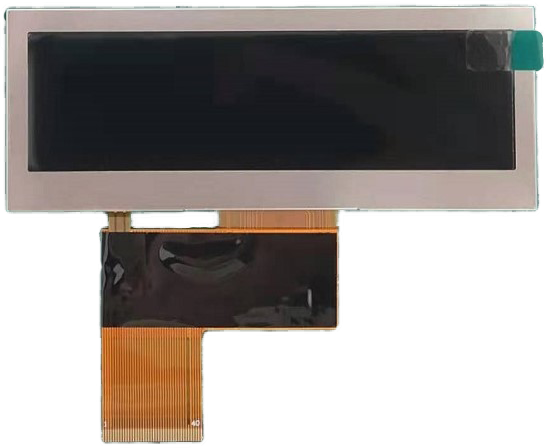
A brief template
One page, ten fields.
| Field | Example content |
|---|---|
| Application | What the product is and where it operates |
| Size and resolution | Visible area, aspect ratio, resolution class or fixed value |
| Viewing conditions | Distance, ambient light, glazing, smallest legible detail |
| Touch | Required or not; glove type; wet conditions; target sizes |
| Mechanical | Aperture, depth, mounting, driver board space, cable exit |
| Interface | Host output, cable length, custom timing requirement |
| Environment | Internal temperature range, humidity, chemicals, cleaning |
| Lifetime | Hours, brightness profile, luminance floor |
| Volume | First order, annual volume, growth expectation |
| Compliance | Target markets, regulated category if any |
A brief with these ten fields produces a quotation that can be compared, and it also gives the supplier enough information to suggest alternatives where the specification is more expensive than it needs to be.
FAQ
What should a display specification include?
Size and resolution, viewing conditions stated as installation conditions, the touch requirement, the mechanical envelope and mounting, the host interface and cable route, the environmental conditions, the lifetime target, the volume expectation and any regulated category. With those, a supplier can quote a comparable product rather than an assumption.
Why do display quotations vary so much for the same requirement?
Usually because the brief left something open – the optical stack, the front assembly, the volume or the certification path – so suppliers quoted different products or different volume assumptions. Stating the parameters that drive cost, and asking for the tooling assumptions explicitly, makes the comparison meaningful.
Should I specify a brightness figure in nits?
It is better to specify the viewing conditions and the required legibility, then allow the supplier to propose the stack. A nits figure without the ambient conditions and surface treatment can over-constrain the design or under-deliver readability; the combination of brightness, coating and bonding determines the result.
What should be left flexible in a display brief?
Panel brand, exact brightness, cover glass thickness, interface choice and bonding process can usually be left open if the performance requirements are stated, which lets the supplier propose the cost-effective route. The envelope, interface constraints, environmental conditions and lifetime target should be fixed.
How long should a display requirement brief be?
One page is usually enough when it contains numbers: size and resolution, viewing conditions, touch requirement, mechanical envelope, interface and cable route, environmental conditions, lifetime target, volume and any regulated category. Length is less important than having a value against each of those headings.
Next step
Send the application, envelope and conditions to CDTech in the form of the ten-field brief above; the reply will come back as a specification proposal with the cost drivers identified.
Contact sales@cdtech-lcd.com or use the contact page.
Related articles
 Fuel Dispenser and Forecourt Displays: Safety, Sunlight and Continuous UseCustom Displays, Sourcing & Manufacturing
 Landed Cost for Display Modules: Freight, Duty, Packaging and the True Unit PriceCustom Displays, Sourcing & Manufacturing
 How to Audit a Display Factory: An Evidence-Based ChecklistCustom Displays, Sourcing & Manufacturing
 TFT LCD vs OLED vs E-Paper for Industrial Products: A 2026 Decision FrameworkCustom Displays, Sourcing & Manufacturing