Instrumentation Display: Reliable, Compliant Human–Machine Interfaces for Connected Equipment
A display certificate covers the factory, not your instrument. See what ISO 9001, ISO 13485 and IATF 16949 quality systems do and do not prove.
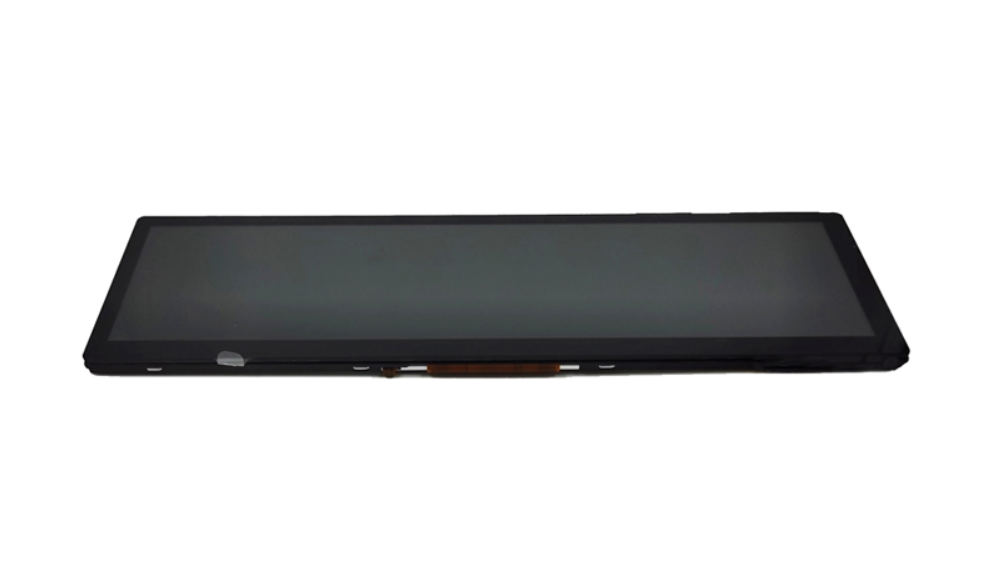
Instrumentation display solutions that improve visibility, hardware–software integration, lifecycle reliability, and compliance planning for industrial, medical, and vehicle equipment.
Part of the Industrial LCD Displays guide — 40 articles on continuous duty, sealing and long service life outside the cabin.
Last updated:
Why Instrumentation Display Decisions Matter
Instrumentation displays now sit at the operating boundary between people, sensors, embedded software, and high-consequence equipment. A display is no longer merely an output component: it shapes whether an operator can interpret an alarm, confirm a setting, diagnose a fault, or safely continue a workflow.
That responsibility is growing as industrial systems become more connected. IEC 62443-2-1:2024 sets security-program requirements for industrial automation and control-system asset owners, while medical-device cybersecurity expectations increasingly address software, firmware, vulnerability management, updates, and patchability. In automotive programs, UN Regulation No. 155 establishes a cybersecurity-management framework across the vehicle lifecycle and supply chain.
CDTech Enters the Design Early
For OEMs developing instruments, CDTech provides standard and custom TFT LCD, touch-display, HDMI-display, and optical-bonding solutions. Its portfolio includes vehicle, industrial, bar-type, and custom LCD display categories, with applications spanning instrumentation, industrial control, medical equipment, smart home, and automotive systems.
What Is an Instrumentation Display?
An instrumentation display is the visual HMI layer in a device or machine that presents measurements, alarms, controls, diagnostics, and operating status through a screen, touch interface, or integrated display module.
Instrumentation Display Pain Points
The first challenge is legibility under real conditions. A screen that looks clear on a lab bench may become difficult to read through glare, vibration, protective eyewear, condensation, changing ambient light, or wide viewing angles. In an instrument panel, poor contrast or inconsistent brightness can slow recognition of exceptions precisely when time matters.
The second challenge is mechanical and environmental fit. Instrumentation products may require a constrained bezel, specific active area, sealed front surface, glove operation, anti-condensation treatment, UV resistance, or robust touch performance. Selecting a generic consumer display often defers these constraints rather than solving them.
The third challenge is interface and firmware coordination. Hardware teams must confirm electrical interfaces, timing, connectors, power behavior, backlight control, touch-controller configuration, and EMI considerations. Software teams must then validate drivers, boot behavior, screen rendering, fault states, localization, and recovery behavior on the actual target hardware—not only in an emulator.
Finally, regulated or long-lifecycle systems require documentation and supply discipline. A display choice can affect traceability, supplier qualification, quality-system evidence, change control, cybersecurity architecture, and end-of-life planning. That is why display sourcing must be treated as an engineering decision rather than a late-stage purchasing exercise.
The Statistic That Changes Priorities
For connected medical devices, FDA cybersecurity expectations include processes for identifying vulnerabilities, providing patches and updates, and supplying a software bill of materials—requirements that influence the complete device architecture, not software alone.
Instrumentation Display Options Compared
Instrumentation Display Features That Matter
Display and touch integration
CDTech offers display, touch, and optical bonding as a one-stop production approach. Combining these elements can simplify accountability for optical performance, mechanical fit, and touch behavior.
Interfaces that fit embedded platforms
The company identifies HDMI, LVDS, MIPI, eDP, RGB, and SPI among interface considerations for display selection. Interface selection should be confirmed alongside processor capability, software-driver availability, cable architecture, and expected startup behavior.
Environmental design choices
CDTech’s industrial category covers 2.4- to 10.1-inch displays and identifies high brightness, extreme-temperature operation, touch-and-display integration, and special-environment customization as relevant capabilities.
Three Practical Examples
Factory HMI: A glove-operable, high-visibility instrumentation display can reduce friction between production-floor conditions and digital controls.
Medical analyzer: A traceable display supply chain and documented change control support broader device quality planning.
Vehicle dashboard: Brightness, temperature tolerance, interface validation, and cybersecurity-aware software integration should be evaluated together.
Related CDTech Display Paths
Instrumentation programs rarely share identical physical and environmental requirements. A compact control interface may need an industrial LCD display with touch integration, while mobile equipment may require a vehicle LCD display designed around automotive use cases.
Projects with unusual housings, interfaces, optical requirements, or branded user-interface needs may instead benefit from a custom LCD display discussion. CDTech also positions optical bonding as part of its integrated production offering, which may be relevant where reflection control, front-surface durability, or display-stack coordination affects the final instrument design.
What the Certificates Do and Do Not Cover
A supplier certificate describes how a factory is run; it does not make the instrument compliant, and the difference decides who signs the declaration. ISO 9001, ISO 14001, ISO 13485 and IATF 16949 cover the quality, environmental and (for medical and automotive programmes) process-control systems behind the module, which is exactly what a buyer needs when auditing traceability and change control — and exactly what they do not prove about the finished device.
The same split applies to the security frameworks discussed earlier in this article. A framework aimed at the asset owner’s programme, or at the vehicle lifecycle and its supply chain, describes obligations that sit with the equipment maker and the integrator; a display module contributes a small, documented part of that picture. Treating a module certificate as evidence of product-level compliance is the most common misreading in a procurement discussion, and it usually surfaces late, during the customer’s own audit.
What to ask for instead. Request the specification baseline for the exact module (part number, revision, drawings), the inspection and test records that travel with a production batch, the change-notification procedure with its interval, the lifecycle and last-time-buy statement, and — where the instrument is regulated — the supplier’s own quality-system certificate with its scope and validity rather than a logo on a page. The quality assurance and factory compliance page lists what CDTech keeps through assembly, aging and final inspection, and which display certifications actually matter walks through the certificate-versus-declaration distinction.
How to Specify an Instrumentation Display
-
Define the user task before selecting a panel. Identify what operators must see, what must trigger action, how far away the display is viewed, and whether touch is part of the critical workflow.
-
Document the physical envelope. Include available bezel space, mounting method, active-area needs, display orientation, connector access, cable routing, front-glass requirements, and service-access constraints.
-
Establish operating conditions. Specify temperature range, humidity, sunlight exposure, vibration, gloves, water exposure, cleaning agents, UV exposure, and viewing-angle requirements.
-
Match the electrical and software architecture. Confirm interface type, power sequence, backlight-control method, graphics-controller capability, operating system or RTOS support, touch-controller driver, boot timing, and error-state behavior.
-
Map applicable compliance requirements. For example, medical-device programs may require a quality-system and risk-management approach, while industrial connected systems should align cybersecurity responsibilities with their IEC 62443 strategy. Vehicle programs should evaluate cybersecurity-management obligations within applicable markets.
-
Validate on representative hardware. Test the actual display module with production-intent cabling, enclosure, firmware, alarms, UI assets, environmental conditions, and recovery procedures. Record revision control, acceptance criteria, and any deviations before releasing the design.
Instrumentation Display Use Cases
Scenario: Industrial control cabinet
Traditional approach: The OEM selects a low-cost catalog panel late in the project, then discovers that the interface, glove-touch behavior, glare response, and enclosure dimensions require workarounds. The display firmware and main-controller firmware are debugged separately, increasing rework risk.
With CDTech: The project can begin with the industrial-display requirements—size, interface, brightness, operating environment, touch needs, and mechanical constraints—then evaluate an integrated display-and-touch solution. CDTech states that its industrial products are used for industrial control, HMI, instruments, and elevator applications.
Scenario: Medical diagnostic instrument
Traditional approach: The display is considered a visual commodity, while regulatory documentation and traceability are addressed only at system-validation time. This can create uncertainty around supplier controls, component changes, and quality evidence.
With CDTech: A procurement and engineering team can evaluate CDTech’s stated ISO 13485 certification alongside the device’s own quality-system, risk-management, usability, and cybersecurity requirements. Certification does not make the finished device compliant by itself, but it can provide a more appropriate supplier-quality starting point.
Scenario: Vehicle or specialty-equipment cluster
Traditional approach: Hardware engineers choose the panel based on size and resolution alone, while software teams later address startup timing, warning prioritization, backlight behavior, and security isolation. The integration burden grows as the interface becomes more connected.
With CDTech: CDTech’s vehicle-display category includes 4.3-, 5.0-, 7.0-, and 12.3-inch solution categories and states IATF 16949 assessment. Teams can pair early display selection with an agreed validation plan covering optical behavior, interface behavior, fault-state presentation, and cybersecurity boundaries.
Instrumentation Display FAQ
What is the best instrumentation display for industrial control equipment?
The best choice depends on the operator task, installation space, electrical interface, environment, and lifecycle needs—not simply screen size or resolution. For industrial control, prioritize readable brightness, operating-temperature fit, touch behavior, interface compatibility, and the evidence needed for long-term support. CDTech’s industrial LCD category is intended for industrial control, HMI, instrumentation, and related applications.
How do I choose an instrumentation display with touch functionality?
First decide how the operator will interact: bare finger, gloves, stylus, wet conditions, or no touch at all. Then specify touch technology, front-surface durability, false-touch tolerance, controller interface, calibration needs, and software-driver support. CDTech describes resistive touch as glove compatible and capacitive touch as suitable for responsive multi-touch applications.
Which display interface is right for an embedded instrumentation display?
There is no universally correct interface. HDMI may simplify certain architectures, while LVDS, MIPI, RGB, SPI, or eDP may better match a particular processor, bandwidth need, cable length, power budget, or software stack. CDTech recommends documenting interface requirements early, alongside application, housing, and environmental information.
Do ISO 13485 and IATF 16949 make an instrumentation display compliant?
No. Supplier certifications do not automatically certify the final machine, medical device, or vehicle system. They are relevant indicators of the supplier’s management-system scope and can support supplier qualification, documentation, and traceability planning. The OEM remains responsible for applicable product-level testing, technical documentation, risk controls, and market-specific approvals.
How should hardware and software teams validate an instrumentation display together?
Use a shared acceptance plan that covers electrical startup, image rendering, backlight control, touch events, alarms, reset and recovery states, fault logging, language assets, and environmental performance. Test these functions on the real display assembly in a representative enclosure. For connected systems, include vulnerability handling, update behavior, and security boundaries in the overall system plan.
When should an OEM choose a custom instrumentation display instead of a standard module?
Customization becomes appropriate when a catalog module cannot meet a required mechanical envelope, optical target, interface, touch stack, backlight level, environmental condition, or branding requirement without excessive adapters and compromises. CDTech states that it supports customized display design, including independent TFT modules, touch and cover integration, highlighted backlights, and different interfaces.
A Better Display Strategy
A strong instrumentation display program begins with the complete operating context: human decisions, environmental stress, embedded hardware, firmware behavior, supply continuity, and compliance evidence. Display selection should therefore move upstream in the engineering process.
CDTech is most relevant where an OEM needs to connect display selection with touch integration, optical bonding, interface requirements, environmental adaptation, and a documented quality foundation. Its stated industrial, vehicle, and custom-display capabilities provide practical paths for teams that need more than a generic screen.
Discuss Your Instrumentation Display Project
CDTech is a Shenzhen-based TFT LCD, touch-display, HDMI-display, and custom-display supplier serving industrial control, medical, smart-home, automotive, vehicle, instrumentation, and information-terminal applications. For a project review, define the display size, interface, application, environment, and expected volume before requesting a technical match.
Related articles
 Solar Inverter and Combiner Box Displays: Readability in Direct SunlightIndustrial & Specialist DisplaysTransparent, Reflective and High-Ambient Retail Displays: Where LCD Still WinsIndustrial & Specialist Displays
 Passenger Information Displays for Buses and Trains: Standards, Readability and ReliabilityIndustrial & Specialist Displays
 Long Display Cables in Industrial Machines: Signal Integrity Without an Expensive RedesignIndustrial & Specialist Displays