Building Automation and Smart-Home Panels: Display Choices for a 10-Year Wall Installation
Building automation and smart-home wall panels: brightness for real rooms, always-on ageing, wall-box thermal limits, touch coatings and PoE power budgets.
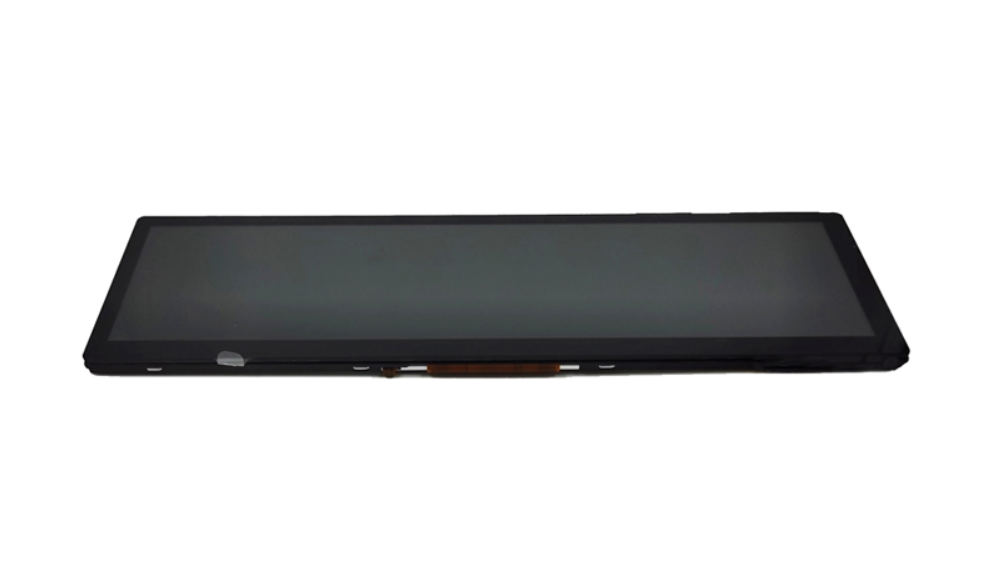
A wall panel is installed once, powered continuously, and judged every day by people who are not engineers. Its constraints are unusual: a shallow wall box with no airflow, a power budget set by the wiring, and a screen that must be comfortable at 2 a.m. as well as legible at noon. Getting the display right is mostly a matter of sizing brightness, thermals and touch feel for the room rather than for the datasheet.
What a wall-mounted panel must survive for a decade
Continuous power, occasional cleaning and no service access.
The panel sits in a wall with no ventilation, runs continuously, and is cleaned with household products by people who will not read instructions. It is also expected to look new in ten years. The specification consequences are a lifetime figure quoted at the actual brightness and internal temperature, surface coatings that tolerate alcohol-based cleaners, and a front assembly that does not discolour or yellow. Where the panel includes a housing, dust ingress through the wall box is a real path and should be considered.
Designing for the decade also means designing for a supplier relationship: an installed base of wall panels is expensive to replace, so availability and firmware maintenance matter as much as the panel specification.
Brightness in a bright living room vs a dark bedroom
Dimming range matters more than peak brightness.
A wall panel in a living room competes with daylight through windows; the same panel in a bedroom must be almost imperceptible at night. That argues for a wide dimming range with a stable, flicker-free low end, and for a design that can drop to a very low luminance without changing colour. Peak brightness of a few hundred nits with good anti-glare treatment usually satisfies the daytime case, while the night-time case is decided by the dimming floor.
Specify both ends with numbers and a flicker limit, and validate at night in the room. CDTech’s material on brightness and optical design for readable displays describes how luminance, reflection and surface treatment interact in rooms with windows.
Always-on operation, burn-in and screen dimming
A static interface ages unevenly, slowly but visibly.
Wall panels typically show a persistent home screen with fixed elements – a clock, a temperature, a status bar. Over years that produces differential ageing that is visible as faint ghosting. The mitigations are software rather than hardware: dim or blank the screen after inactivity, drift the layout slightly, and avoid a permanently bright static region. Where the panel must stay on, reducing default brightness and using a darker interface theme extends the interval.
Decide the inactivity behaviour with the product team early, because it affects user expectations as much as the panel choice.
Thermal design in a standard wall box
There is no airflow and very little volume.
A wall box is a sealed cavity, so the display’s backlight heat raises the internal temperature until it reaches equilibrium with the wall. That equilibrium depends on the box material, the wall construction and the panel’s own heat path. Metal boxes and metal rear plates help; insulated walls and plastic boxes do not. Brightness is the dominant variable, so the thermal design and the brightness specification are the same decision.
Measure the internal air temperature at the display in a representative wall, not on a bench. CDTech’s notes on thermal design for sealed enclosures describe the conduction and derating options that apply when there is no fan.
Touch with dry fingers, gloves and fingerprints
Cold dry fingers are the least forgiving input.
A capacitive panel works well with warm fingers and less well with cold, dry hands in winter, which is precisely when a heating control panel is used. Tuning can improve the margin, and an anti-fingerprint coating improves the visual experience by reducing smearing. Where the panel must work with gloves – a utility room or a garage – either increase sensitivity deliberately or provide physical controls alongside the screen.
Multi-touch capability should follow the interface: pinch and swipe gestures are only worth supporting if they are discoverable by the people who will use the panel. CDTech’s explainer on multi-touch PCAP covers what ten-point sensing adds and where it is unnecessary.
Anti-glare and anti-fingerprint surface treatment
The coating is what users actually experience.
A glossy front in a room with windows produces a reflection that users notice immediately, while an anti-glare front softens the image slightly. Anti-fingerprint treatment reduces smearing where the screen is touched, and its durability matters more than its initial performance, because a worn coating looks worse than no coating. The relevant measurements are haze and gloss, both comparable before and after abrasion testing.
CDTech’s material on measuring cover glass optics covers the measurement approach, and the underlying haze standard is ASTM D1003. Glass substrate properties are documented by suppliers such as AGC.
Power over Ethernet and power budget implications
Power sets the achievable brightness before anything else does.
Panels powered over Ethernet have a defined budget at the device, and a display that draws continuously at high brightness can consume most of it, leaving little for the processing and radio. The practical design values are moderate brightness with good optical treatment, efficient backlight drivers, and a power strategy that lowers brightness when the room is dark. Where the panel is mains-powered the constraint relaxes, but thermal limits remain.
Confirm the power budget with the display running its worst-case interface and at maximum brightness, since that is the state that decides whether the supply negotiates successfully.
Sizing the display for readable text at two metres
Wall panels are read from across the room.
A panel is often glanced at from 2 m to 4 m while walking past, so the primary information – temperature, mode, status – must be legible at that distance, while the detailed controls are used at arm’s length. That combination favours a moderately sized display with a simple, high-contrast layout rather than a dense interface. Character height at the far distance is the specification, and it is computable from the viewing distance and the font size in pixels.
Selection constraints for small and mid-sized panels, including what can be customised at different volumes, are covered in CDTech’s notes on custom panel sizes.
Certification: EMC, safety and building codes
Three regulatory layers apply to one wall panel.
The electronics must satisfy the EMC and safety framework for the market – the EU EMC Directive and CE marking route for Europe, with internal electronics designed against a safety standard such as IEC 62368-1. The installation may also be governed by building wiring rules, and where the panel interfaces with mains switching, that interface drives the requirements more than the display does.
Display-side contributions are usually manageable: backlight drivers are the main noise source, and touch sensing is the most sensitive circuit. Testing the panel with the radios active and the display at maximum brightness is the realistic worst case.
Supplier questions for a consumer-scale price point
Ask which parts of the stack can be standardised.
- Which panel sizes in this class are standard and which require tooling?
- Can the cover glass and housing be standardised across the product family while the panel size varies?
- What is the minimum order quantity for a custom cover glass with printed graphics?
- What is the dimming floor and flicker behaviour at the low end?
- What is the achievable backlight lifetime at the intended brightness and enclosure temperature?
- How is the panel protected against discontinuation over a ten-year product life?
Standardising the electronics, touch stack and cover glass across a product family while varying the panel size is the most effective way to reach a consumer price point without losing the durability that the wall installation requires. Environmental and static-control practice for the assembly is documented by bodies such as the EOS/ESD Association.
FAQ
What display is used in smart home control panels?
Most use a small to medium capacitive touch TFT module, commonly between 4 inches and 10.1 inches, with a bonded cover glass and an anti-glare or anti-fingerprint treatment. The differentiating factors are the dimming range, the thermal design inside the wall box and the coating durability.
How do I keep a wall panel display cool?
Reduce the heat produced rather than trying to remove it: lower the default brightness, use an efficient backlight driver and dim when the room is dark. Provide a conduction path from the display frame to a metal rear plate or box where the construction allows. Verify with a temperature measurement in a representative wall.
Do wall panels suffer screen burn-in?
They can show faint ghosting after years of the same static layout. Software measures – inactivity dimming, gentle layout drift, a darker default theme – reduce the effect at almost no cost, and are more effective than any panel specification change.
Why does a touch panel become unresponsive in winter?
Cold, very dry skin couples less effectively to a capacitive sensor, so the measured change is smaller and marginal touches can be rejected. Tuning improves the margin; where the panel is used with gloves or in cold utility areas, physical controls alongside the screen are the more reliable answer.
Next step
Send the wall box dimensions, room conditions, target price band and product family size to CDTech; the response will propose a standardised touch and cover glass stack with the panel size as the variable.
Contact sales@cdtech-lcd.com or use the contact page.
Related articles
 ESD Protection for Display Modules: Design, Test and Field RealityInfo
 Hydrogen, Gas and Chemical Process Displays: Where Certification Drives the DesignInfoResistive Touch Screens: Where They Still Beat Capacitive in 2026Info
 Haptic Feedback and Display UX in Industrial Equipment: When Touch Is Not EnoughInfo