Kiosk and Self-Service Displays: Touch, Vandalism and 24/7 Uptime
Kiosk display design: what breaks first in public use, IK ratings versus real vandalism, cover glass lamination, touch in debris and 24/7 cabinet heat.
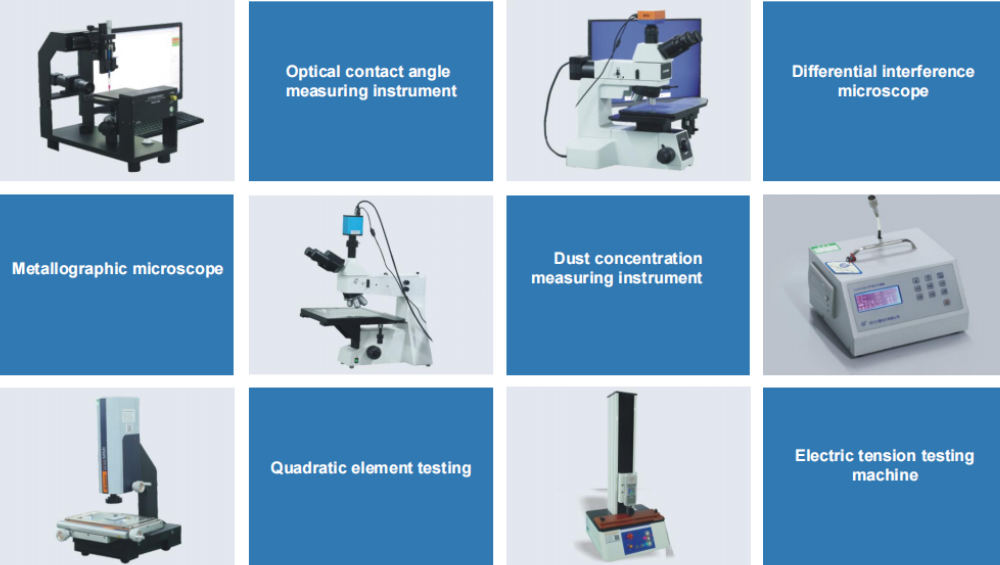
Public kiosks fail in a predictable order: the cover glass scratches, then the touch surface degrades, then the seal fails and moisture finds the electronics. None of these are panel failures, and all of them are specified before the panel is ordered. For a fleet operator, the relevant question is not which display is toughest but which front assembly produces the fewest service visits per year.
What breaks first in a public kiosk display
Scratches, then touch, then sealing.
The first visible degradation is usually cosmetic – abrasion from keys, rings, coins and cleaning cloths – followed by touch anomalies as the surface coating wears and the electrode pattern becomes non-uniform near the edges. Sealing failures come later, typically driven by thermal cycling and by cleaning that pushes water against a gasket. Because the order is predictable, the maintenance plan can be built around it: measure haze on the front, log touch accuracy, and inspect seals on a schedule rather than waiting for a fault.
The practical consequence for procurement is that the front assembly should be replaceable as a unit and stocked as a spare, because it is the part that wears out.
IK ratings vs real-world vandalism
IK describes an impact; vandalism is repeated and varied.
The IK scale is built on a defined impact energy with a defined striker, which is a reasonable proxy for a single blow but not for repeated attacks with a key, a stone or a bottle. The behaviours that actually protect a kiosk are a laminated front that holds fragments together, a sacrificial outer layer that can be replaced, and an enclosure geometry that makes leverage difficult. A flat, generously recessed glass with no protruding edges resists damage better than a flush panel with a soft plastic frame.
State the threat model explicitly in the specification: what has happened to the previous units, at what height, and with what object. That description is more useful than an IK number on its own.
Cover glass thickness, lamination and scratch resistance
Thicker glass resists impact and costs touch sensitivity.
Increasing cover glass thickness improves impact resistance but reduces capacitive coupling, so the sensor and controller must be matched to the chosen thickness. Laminating two thin layers gives impact resistance with better fragment retention than a single pane, at the cost of additional optical interfaces and process complexity. Chemically strengthened glass provides the best scratch resistance in the touch area, which is where abrasion is concentrated.
Specify thickness, lamination and surface hardness together, and validate touch with the production thickness. CDTech’s material on cover glass design and on IK10 vandal-proof touch glass covers the interaction between durability and touch performance.
Touch performance with gloves, wet hands and debris
Public touch surfaces meet everything.
Users tap with gloved hands in transit and outdoor settings, with wet hands after rain or at food counters, and with debris on the surface that changes coupling. The design responses are a tuning profile with deliberate water and debris rejection, a hydrophobic surface treatment that makes water bead and run, and a rejection algorithm that ignores slow-moving large-area contacts without ignoring deliberate presses. Where the kiosk is used by people wearing thick gloves, a resistive panel remains a defensible choice.
Test with real conditions: a wet-glove test, a water spray test on the operating surface, and a finger test with sand or salt present.
Brightness and reflectance for indoor and semi-outdoor kiosks
Semi-outdoor is a different optical problem from indoor.
Indoor kiosks compete with ceiling lighting and produce a predictable specular reflection; semi-outdoor kiosks face low sun and sky reflection, which is harder because the light source moves. Anti-glare treatment and optical bonding both contribute, and the bonding matters more outdoors because the internal reflections become visible against bright content. Where the front faces a walkway, consider the reflection from the viewer’s own clothing and surroundings as well as the sky.
Specify readability at the installed position with a photograph at the worst time of day. CDTech’s notes on haze, gloss and surface treatment and on outdoor brightness and contrast cover the measurement approach.
Continuous duty backlight and image retention
Kiosks run longer than machines do.
A public kiosk may operate 18 hours a day at high brightness, which accumulates backlight hours quickly and keeps the panel warm inside a sealed cabinet. Lifetime should be specified at the actual brightness and enclosure temperature, with a luminance floor the operator can accept at end of life. Where the interface has static elements – a logo bar, a fixed menu – reduce brightness in those regions and use inactivity dimming to slow differential ageing.
A simple commissioning decision – reducing default brightness by 20 per cent where lighting allows – extends the service interval measurably and is rarely visible to users.
Service access and display replacement cost
The cheapest kiosk is the one that is serviced least often and fastest.
Design the kiosk so the front assembly can be replaced without removing the kiosk from its position, with connectors that are reachable and a documented procedure. Because the front is the wear item, the spare should be stocked as a complete bonded assembly so the swap is mechanical rather than a rebuild. In a fleet, the metric to track is service visits per unit per year, and it is driven by the front assembly specification far more than by the panel.
Include the replacement procedure in the kiosk documentation, and record which firmware and calibration settings must be transferred.
Thermal management in a sealed, sun-exposed cabinet
A sealed cabinet in the sun is a greenhouse.
Backlight heat plus solar gain can push internal air well above ambient, particularly where the cabinet has glazing on the front and no shade. The design options are a conduction path from the display frame to the cabinet structure, a reflective or shaded outer surface, and a brightness strategy that reduces output as internal temperature rises. Active cooling introduces dust and maintenance, so it is usually the last resort in outdoor kiosks.
Verify with a thermocouple test at full brightness in the worst-case ambient condition, and record the internal air temperature at the display rather than the outside temperature.
Payment and accessibility requirements that touch the display
Payment hardware and accessibility both constrain the screen.
Card readers, barcode scanners and contactless pads sit around the display, and their positioning affects readability – a screen obscured by the user’s body or by the payment terminal is unusable. Accessibility requirements in many markets push toward larger text, higher contrast, and sometimes a physical keypad with tactile markings, which changes the display layout as well as the panel choice. Where the kiosk must meet a specific accessibility standard, take the requirement into the layout phase rather than adapting an existing design.
The practical specification items are a minimum character height, a contrast ratio in the installed lighting, and a reachable touch area within the defined approach zone.
Procurement specification for a fleet of kiosks
Specify what wears, what is replaced and what is measured.
| Item | Specification | Verification |
|---|---|---|
| Front surface | Chemically strengthened glass, defined thickness, AG treatment | Hardness and haze measurement, before and after abrasion |
| Impact | Laminated front; threat model described | Impact test at the specified energy on production fronts |
| Touch | Capacitive with water and debris rejection; tuned to glass thickness | Wet-glove and debris test on production assemblies |
| Sealing | Bonded front, sealed rear enclosure, defined cleaning chemistry | Assembly-level ingress test after thermal cycling |
| Optical | Readability at the installed position, worst case sun angle | Photograph and measurement at commissioning |
| Service | Front assembly replaceable as a unit, procedure documented | Measured replacement time on a sample unit |
| Lifetime | Luminance floor after stated hours at stated brightness | Backlight data at the measured enclosure temperature |
Optical measurement practice for the haze and gloss terms is defined in ASTM D1003, and the durability testing scope available from third-party laboratories such as Intertek covers the ingress and abrasion cycles a fleet specification should reference.
FAQ
What display do self-service kiosks use?
Most use a capacitive touch TFT module with a bonded cover glass, in a size matched to the interaction distance – commonly 10.1 inches to 21.5 inches. The specification that matters is the front assembly: glass thickness, lamination, coating and sealing are what determine service life.
How do I protect a kiosk screen from vandalism?
Use a laminated front that holds fragments together, recess or protect the edges so leverage is difficult, and treat the outer surface as a replaceable wear item. Describe the actual threat model from previous incidents rather than relying on an IK number alone.
Why does a kiosk touchscreen stop responding in the rain?
A water film couples the sensor electrodes and the controller rejects the frame as an invalid touch. Hydrophobic treatment, edge electrode design and ghost-pattern rejection reduce the effect, but a heavily wetted screen may still need to clear before it responds normally.
How often should kiosk displays be replaced?
Track service visits per unit per year rather than a fixed interval. The front assembly usually drives replacements, so stocking it as a complete bonded unit and reducing default brightness in shaded locations are the two changes that most reliably extend the interval.
Next step
Send the kiosk environment, threat history and interaction distance to CDTech; the proposal will specify the front assembly, touch tuning and sealing method with the verification tests attached.
Contact sales@cdtech-lcd.com or use the contact page; kiosk-class panels are listed under industrial LCD displays.
Related articles
 ESD Protection for Display Modules: Design, Test and Field RealityInfo
 Hydrogen, Gas and Chemical Process Displays: Where Certification Drives the DesignInfoResistive Touch Screens: Where They Still Beat Capacitive in 2026InfoHaptic Feedback and Display UX in Industrial Equipment: When Touch Is Not EnoughInfo