SPI Versus RGB Interface for Small Displays
SPI versus RGB interface for small displays: how each drives the screen, bandwidth and refresh limits, pin count, tearing and how to choose. | Target URL: https://blog.cdtech-lcd.com/spi-vs-rgb-interface/
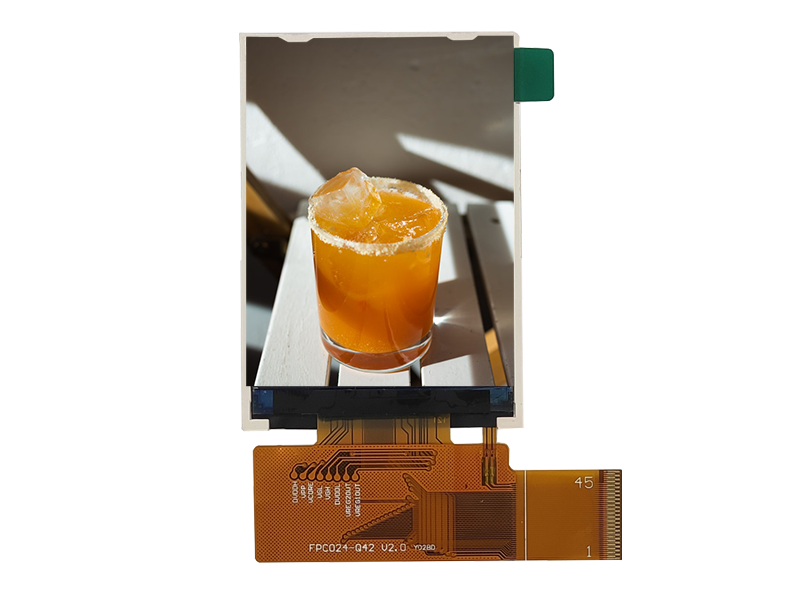
SPI and parallel RGB are the two interfaces that appear on almost every small display module, and the choice decides how much of the screen the host has to keep refreshed. SPI sends commands and pixels through a display controller that owns the frame; RGB streams pixels continuously and expects the host to have them ready. That single difference drives the bandwidth, the pin count and the failure modes.
Part of the Interfaces, Touch & Signal Integrity guide — 39 articles on RGB, SPI, LVDS, MIPI, eDP and the touch controller.
Serial versus parallel, in one paragraph
Parallel sends many bits at once; serial sends them one at a time, faster.
A parallel interface uses one conductor per data bit plus timing signals, so a 16-bit RGB bus moves a pixel per clock edge with no encoding overhead. A serial interface such as SPI uses two data lines plus clock and chip select, and sends the same pixel over several clock cycles. Parallel wins on raw throughput per clock, serial wins on pin count, board area and the number of conductors that can pick up noise.
The practical consequence for a small display is that SPI is usually paired with a controller that holds a frame buffer, while RGB is usually paired with a panel that has no frame memory of its own.
How SPI drives a display
It writes into a controller that owns the pixels.
A typical SPI display module contains a controller with GRAM. The host sends commands – set the window, set the pixel format – then streams pixel data, and the controller refreshes the panel itself. Because the host only writes when something changes, average throughput requirements are low, and a small microcontroller can drive the display without external memory. The costs are that updates are limited by the serial clock, that partial updates need careful window management to avoid tearing, and that the controller’s capabilities set the maximum resolution.
The interface is well suited to status displays, instruments and any product where the content changes occasionally.
How RGB drives a display
It streams pixels continuously, with no memory in the panel.
A parallel RGB panel has no frame buffer, so the host must deliver every pixel of every frame, with correct timing: pixel clock, horizontal and vertical sync or data enable, and blanking intervals. The advantage is that the host has complete control of the image and can update any part of it at frame rate; the costs are the pin count, the continuous bandwidth requirement and the need to get the timing parameters exactly right. The timing parameters and their effect on the image are covered in CDTech’s notes on pixel clock, blanking and sync.
RGB suits interfaces that animate, show waveforms or render at video rates, and hosts with an LCD controller peripheral.
Bandwidth: the arithmetic that decides
Required bandwidth is pixels times frames times bits, plus overhead.
For a 480×272 panel at 30 frames per second with 16-bit colour, the raw requirement is modest, and SPI at a practical clock can approach it for full-screen updates – which is why SPI displays often update regions rather than whole frames. For the same panel at 60 frames per second, or at 320×480 with 18-bit colour, the requirement grows beyond what a typical SPI link delivers comfortably, and the design moves to RGB or to a higher-rate serial interface.
The useful discipline is to calculate the worst case – full-screen update at the required frame rate – and compare it with the interface’s practical throughput, not its theoretical maximum.
Pin count, board area and cost
SPI saves pins, connectors and board layers.
A parallel RGB interface consumes up to 28 conductors plus timing and power, which drives connector size, board layer count and assembly cost on a small product. SPI needs four to six, and the controller inside the module handles the rest. On a compact design the pin saving is often worth more than the bandwidth limitation, and it is the main reason SPI displays remain common in instruments and appliances.
Serial interfaces also simplify EMC: fewer switching conductors, and a lower aggregate edge rate on the cable.
Refresh, tearing and partial updates
SPI hides a limitation that RGB does not have.
Because a GRAM-based display refreshes independently of the write, a partial update can be visible as a tear if the write collides with the refresh cycle. Controllers manage this with a tear-effect signal, windowed writes or double buffering, and ignoring it produces visible artefacts on animated content. RGB has no such collision because the host is the refresh source, but it has its own failure modes: a dropped frame or a timing error appears immediately as a flicker, a shift or a roll.
Which risk is easier to manage depends on the content: static or slowly changing content suits SPI, while video-rate content suits RGB.
Power and standby behaviour
A controller with memory can sleep; a streamed panel cannot.
Where the display holds its own frame, the host can stop sending data and even sleep while the image remains on screen – useful in battery-powered products. A parallel RGB panel requires continuous pixel data to keep the image, so the host must keep a display controller running. For products that spend most of their time showing a static screen, that difference in duty cycle can dominate the power budget.
Where the content changes rarely and the power budget is tight, the combination of a GRAM display and a sleeping host is the efficient design.
Interface families beyond these two
Higher resolutions move the design elsewhere.
Where bandwidth exceeds what either SPI or single-link RGB can carry, the options are LVDS, MIPI DSI or a serialiser link. MIPI DSI is common on modules driven by mobile-derived processors, and its specifications are published by MIPI. LVDS is widely supported on industrial hosts and is documented in vendor material such as TI’s LVDS application note, with signal-chain options from Analog Devices and STMicroelectronics. Serialiser links carry video and control over a single pair for longer runs, as documented for families such as TI FPD-Link.
For a small panel the choice is usually between SPI and RGB; for a mid-size or long-cable design it is usually between the serial families.
Choosing between them
Six questions settle most small-display decisions.
| Question | SPI | RGB |
|---|---|---|
| Content type | Status, values, occasional updates | Animation, waveforms, video rate |
| Host capability | Small MCU with SPI | MCU or FPGA with LCD controller |
| Pin budget | Tight | Generous |
| Power strategy | Host can sleep with image retained | Continuous data required |
| Resolution ceiling | Set by the module controller | Set by the host’s pixel clock |
| Main risk | Tearing on partial updates | Timing errors and dropped frames |
Where a product family may grow into higher resolution or animated content, choosing a module with both interfaces available – or one that supports a serial upgrade path – avoids a redesign later. CDTech’s notes on selecting a TFT module interface and on SPI versus I2C cover the adjacent decisions.

FAQ
Is SPI a serial or parallel interface?
SPI is serial: it sends data one bit at a time over one or two data lines with a clock. It is commonly used for displays because it needs few pins and pairs with a controller that holds the frame, at the cost of lower throughput than a parallel bus.
What is the difference between a serial and parallel interface?
A parallel interface transfers several bits simultaneously over separate conductors, while a serial interface transfers them one after another over fewer lines. Parallel gives higher throughput per clock with more pins; serial reduces pin count, board area and switching noise while requiring a higher clock or longer transfer time.
Is SPI better than I2C for displays?
For displays yes in most cases: SPI is faster, supports higher pixel throughput and is the usual interface for small TFT modules. I2C remains useful for low-rate control such as a touch controller or a sensor, where its two-wire bus and multi-drop capability are an advantage.
When should I use RGB instead of SPI?
When the content animates, when full-screen updates are needed at a frame rate SPI cannot deliver, or when the host already has an LCD controller. RGB requires more pins and continuous data, but it gives the host complete control of the image and avoids the tearing risk of partial writes to a GRAM controller.
Next step
Send the panel size, resolution, frame rate and host to CDTech; the reply will confirm which interface meets the requirement and what the module needs in terms of controller, connector and cable.
Contact sales@cdtech-lcd.com or use the contact page.
Related articles
Bring-Up Debugging: No Display, Wrong Colours, Flicker and Everything in BetweenInterfaces, Touch & Signal Integrity Industrial Displays in High-EMI Environments: Protecting Signals and TouchInterfaces, Touch & Signal IntegrityFHD Versus IPS: Separating Resolution From Panel TechnologyInterfaces, Touch & Signal Integrity
 Integrating a Touch Sensor With a Display StackInterfaces, Touch & Signal Integrity