Aviation Display Systems: Reliable Human–Machine Interfaces for Safer Flight Operations
Aviation display systems: see who owns each approval in a cockpit programme, what the module supplier must document, and the evidence to request.
Aviation Display Systems demand readable, robust, and certification-ready visual interfaces. Learn how CDTech supports custom display integration.
Part of the Industrial LCD Displays guide — 40 articles on continuous duty, sealing and long service life outside the cabin.
Aviation Display Systems Are Becoming a System-Level Challenge
Aviation Display Systems sit at the intersection of flight safety, environmental durability, human factors, and electronic integration. Modern cockpit and mission displays must remain usable through vibration, electromagnetic interference, temperature shifts, altitude-related pressure changes, and rapidly changing ambient light—while presenting the right information clearly enough to support fast decisions.
The regulatory context is equally demanding. RTCA DO-160G remains a widely used environmental-test standard for airborne equipment, while DO-178C and DO-254 are important development-assurance references for airborne software and complex electronic hardware. EASA certification specifications, including CS-23 and CS-25, also shape how aircraft systems and installations are evaluated.
A Practical Display Partner for Aviation Programs
CDTech is a display manufacturer supplying TFT LCD, touch-display, HDMI-display, and custom display solutions. Its portfolio is not positioned as a finished, certified avionics display system. Instead, its vehicle, industrial, bar-type, and custom LCD capabilities can support aviation-display integrators seeking purpose-built hardware, optical integration, and coordinated display/touch development.
What Are Aviation Display Systems?
Aviation Display Systems are integrated visual interfaces that present flight, navigation, engine, mission, maintenance, or passenger information. They combine a display module, backlight, touch or control layer, electronics, software logic, enclosure design, and verification evidence appropriate to the aircraft program.
Aviation Display System Pain Points
A cockpit display is not simply a screen installed in an aircraft panel. It is an operational interface that must deliver legible data under conditions far more severe than ordinary indoor electronics. A display that looks excellent in a lab can become difficult to read in direct sunlight, distracting at night, unstable under vibration, or unreliable after repeated thermal cycling.
The first pain point is visibility. Pilots and operators may move between dim cockpit conditions, cloud glare, bright ramp operations, and direct sun. If brightness, anti-glare treatment, contrast, viewing angle, and optical-stack design are not considered together, visual clarity can degrade precisely when it matters most.
Brightness alone is not a complete answer. Reflection control, polarized-light behavior, uniform illumination, color stability, night-dimming performance, and image quality at off-axis viewing angles all affect whether critical flight information remains usable.
The second challenge is mechanical and environmental reliability. Aviation applications introduce vibration, shock, temperature variation, humidity, electromagnetic effects, and potential pressure-related stresses. Environmental qualification is not a single checkbox; it is a structured process of evaluating the actual equipment configuration against the conditions expected in service.
The third challenge is lifecycle risk. Aircraft programs can remain in operation for years or decades, while consumer display supply chains can change rapidly. Integrators need controlled component revisions, repeatable materials, documented interfaces, and advance notice when panels, backlights, drivers, touch layers, or optical materials change.
The fourth challenge is the hardware–software boundary. Display artifacts, response time, touch behavior, interface timing, brightness control, pixel formats, and fault annunciation can affect the avionics software and human–machine interface. The visual component must therefore be selected with the overall system architecture—not after it.
The Certification Reality in One Figure
RTCA states that DO-160G is the current version of its environmental standard for airborne equipment, providing test methods intended to verify performance across multiple environmental and electromagnetic conditions.
Aviation Display Options at a Glance
| Evaluation factor | CDTech custom TFT LCD approach | Consumer-grade tablet/display | Fully integrated certified avionics display |
|---|---|---|---|
| Form-factor flexibility | Customizable display, touch, cover, backlight, and interface architecture | Generally fixed dimensions and I/O | Limited to the supplier’s approved configuration |
| Optical integration | Display, touch, and optical-bonding coordination | Usually optimized for consumer use | Defined by certified system design |
| Environmental design input | Can be specified around program requirements | Usually not designed for aircraft conditions | Designed and qualified for a stated installation |
| Certification status | Supplier certifications do not equal airborne system approval | Not an aircraft-approved system | Approval scope depends on product and installation |
| Supply-chain adaptability | Supports standard and custom display development | Dependent on fast-changing consumer models | Dependent on OEM roadmap and approved parts |
| Best fit | OEMs and integrators developing aviation-specific HMI | Non-critical prototyping or ground use | Retrofit or production programs needing a complete approved solution |
Aviation Display System Features That Matter
Readable optical stack
Aviation teams should specify brightness, contrast, anti-glare requirements, viewing direction, cover-lens properties, and optical bonding as a combined requirement. CDTech supports display, touch, and optical-bonding integration, which can simplify technical coordination among those layers.
Purpose-built interface design
A stable electronic interface is essential to software integration. CDTech offers independent TFT LCD development as well as integrated display, touch, and cover configurations. Project requirements can include different interface options, backlight configurations, display dimensions, resolutions, and brightness targets.
Quality-system evidence
CDTech reports ISO 9001, ISO 14001, ISO 13485, and IATF 16949 certifications. These certifications can be relevant to supplier evaluation and quality-management discussions, but they do not replace aircraft-level qualification, system safety assessment, installation approval, or regulatory acceptance.
Example Display Requirements
“A sunlight-readable avionics display needs controlled reflections—not only more backlight power.”
“A touch interface should be evaluated with gloves, vibration, moisture, latency, and the actual cockpit workflow.”
“A component’s supplier documentation must map to the aircraft program’s requirements; quality certificates alone are not an airworthiness approval.”
Cross-Sell Components for Aviation HMI Development
Aviation display projects often require more than one panel type. A primary cockpit interface may call for a high-brightness widescreen display, while a maintenance terminal, cabin-control interface, or test fixture may require a different size, interface, enclosure geometry, or optical configuration.
CDTech’s Vehicle LCD Display capabilities can be relevant where teams need durable, bright TFT modules for demanding vehicle-like environments and constrained installations. Its Industrial LCD Display solutions can also support ground-support equipment, avionics test benches, maintenance interfaces, and rugged control terminals.
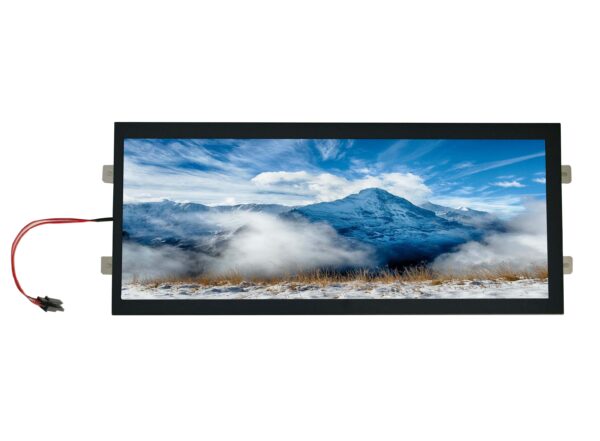
For non-standard panel dimensions, compact instrument replacements, vertically constrained control panels, and cabin information interfaces, CDTech’s BAR Type LCD Display and Custom LCD Display development approach can help teams explore application-specific mechanical and optical configurations.
Who Certifies What in an Aviation Display Programme?
A display module is not certified on its own; the approval belongs to the installation, and the module’s job is to carry documented, repeatable evidence that the assembly approval can rest on. Projects that assume the supplier certificate covers the cockpit end up discovering the gap during the customer’s own audit.
Last updated:
The table maps the responsibilities that recur in aviation and high-reliability programmes. It is a responsibility model rather than a regulatory citation: the applicable rule set depends on the aircraft category and the approving authority, which are programme-specific and have to be named before design freeze.
| Requirement | Who owns it | What the display supplier must provide |
|---|---|---|
| Airworthiness approval of the installed display | Aircraft/assembly level | Documented module performance data the installer can cite |
| EMC and lightning/HIRF protection | Assembly, with module data as input | Shielding design, interface levels, test reports at module level |
| Optical and mechanical fit in the panel cut-out | Display module supplier | Outline, active area, viewing angle, bonding and cover-lens data |
| Software, symbol set and HMI behaviour | Systems integrator | Interface and timing documentation, not certification |
| Traceability and change control | Supplier quality system | Batch records, PCN terms, lifecycle statement |
Two consequences follow for the specification. First, every module-level number the installer will rely on — brightness at the mounting angle, contrast under direct sun, optical bonding behaviour across temperature — has to be measured in a way the assembly-level test can reference, otherwise it cannot be used. Second, change control is part of the deliverable: an aviation programme runs for years, so the notification interval and the approved-alternative list matter as much as the initial datasheet.
What to ask for as evidence. Request the module performance data in a form the integrator can cite, the interface and timing documentation, the shielding and bonding design records, the quality-system scope that covers the manufacturing line, and the written change-notification and lifecycle terms. The quality assurance and factory compliance page describes the records CDTech keeps.
How to Specify an Aviation Display System
- Define the operational function before selecting the panel. Identify whether the interface supports primary flight information, mission display, navigation, maintenance, cabin functions, training, or ground support. The function and criticality level shape the engineering, verification, and certification path.
- Document the visual-use environment. Capture day and night usage, direct-sun exposure, required dimming behavior, ambient-light range, pilot viewing angles, display location, and any head-down-time constraints.
- Establish environmental assumptions with the certification team. Identify which environmental and electromagnetic conditions are relevant to the intended installation. Do not assume that a rugged automotive or industrial specification automatically satisfies aircraft requirements.
- Select the hardware architecture. Decide on panel size, resolution, luminance target, backlight control, touch technology, optical bonding, cover-lens treatment, interface, mechanical retention, thermal strategy, and connector arrangement.
- Define software and hardware assurance responsibilities. The display supplier, system integrator, software team, hardware team, certification applicant, and test organization should agree early on responsibility boundaries, documentation expectations, interface assumptions, and verification evidence.
- Plan prototype-to-production control. Request documentation for revision control, samples, material choices, test methods, interface timing, supplier quality systems, and product-change notification. Verify every finalized configuration through the program’s own test and approval process.
Aviation Display System Scenarios
Scenario: Sunlit cockpit instrument upgrade
Traditional approach: An integrator selects a bright off-the-shelf panel late in the project, then attempts to correct reflections, dimming behavior, touch integration, and thermal performance after the mechanical design is frozen.
With CDTech: The program can discuss an integrated TFT, touch, cover, and optical-bonding configuration earlier. The benefit is not automatic aviation compliance; it is the ability to align the module concept with the program’s optical, mechanical, interface, and sourcing needs from the outset.
Scenario: Rugged maintenance and ground-support terminal
Traditional approach: Teams use a consumer monitor or tablet for diagnostics, then encounter issues with glare, mounting, environmental exposure, connector retention, limited brightness, or sourcing continuity.
With CDTech: An industrial or custom LCD module can be scoped around the terminal enclosure, expected operating environment, connection method, service workflow, and viewing requirements. This gives equipment manufacturers greater control over the finished maintenance-tool experience.
Scenario: Compact cabin or mission-control interface
Traditional approach: A fixed-size standard display forces compromises in bezel dimensions, control placement, interface layout, or available mounting volume.
With CDTech: A bar-type or custom LCD route can support unusual aspect ratios and system-specific integration. The engineering team can assess whether a customized display geometry, touch layer, cover treatment, and interface configuration better match the available installation space and the intended software layout.
Aviation Display System FAQ
What is an aviation display system?
An aviation display system is the complete visual interface used to present operational information in aircraft or aviation equipment. It can include an LCD or other display technology, backlight, touch layer, electronics, embedded software, enclosure, wiring, mounting structure, environmental protection, and the evidence required for its intended certification path.
Can a custom TFT LCD be used in an aircraft cockpit display?
Potentially, but suitability depends on the display’s intended function, installation environment, environmental requirements, system safety classification, verification results, and regulatory approval strategy. A custom TFT LCD is a component rather than an automatically approved cockpit system. The applicant and integrator must determine applicable requirements and demonstrate compliance for the final installation.
Which certifications matter for aviation display systems?
The answer depends on the aircraft category and the display’s function. DO-160G is widely used for environmental and electromagnetic testing of airborne equipment. Development assurance commonly considers DO-178C for software and DO-254 for complex airborne electronic hardware. EASA certification specifications such as CS-23 or CS-25 may apply depending on the aircraft type and certification basis.
How does optical bonding help aviation LCD displays?
Optical bonding removes or reduces air gaps between display layers. In a properly engineered design, this can reduce internal reflections, support readability, and improve mechanical integration of the display stack. The final result depends on material selection, cover lens, bonding method, brightness design, thermal behavior, and the program’s environmental qualification plan.
How should teams select a sunlight-readable aviation display?
Start with the real installation environment rather than a generic brightness number. Define ambient-light conditions, expected viewing angle, target contrast, dimming range, anti-glare requirements, reflection limits, display orientation, and heat load. Then assess the complete stack—panel, backlight, cover lens, touch layer, and bonding—not just the bare LCD panel.
How can hardware and software teams collaborate on aviation displays?
They should jointly define interface timing, resolution, pixel format, brightness-control behavior, boot sequence, touch latency, failure modes, built-in-test expectations, message priorities, display refresh behavior, and abnormal-condition handling. Early collaboration reduces the risk of discovering human–machine interface or integration constraints after software, electronics, and mechanics are already committed.
Choosing a Defensible Development Path
The strongest Aviation Display Systems strategy begins with evidence rather than broad marketing claims. Teams should distinguish supplier quality certifications from aircraft-system approval, translate operational needs into measurable requirements, and involve certification, human-factors, software, hardware, manufacturing, and supply-chain stakeholders from the beginning.
For programs requiring custom visual hardware, CDTech’s integrated approach to TFT LCDs, touch screens, cover integration, optical bonding, interface options, and high-brightness backlights can provide a practical engineering foundation. The final aviation solution still requires program-specific design assurance, environmental testing, installation verification, and approval.
Discuss a Custom Aviation Display Project
CDTech is a display manufacturer established in 2011 that supplies standard and customized TFT LCD, touch-display, and HDMI-display solutions for industrial, medical, automotive, smart-home, and information-terminal applications. Aviation HMI teams can contact CDTech to assess a custom display architecture and then validate it against their own aircraft-program requirements.
Sources
RTCA — DO-160 Environmental Conditions and Test Procedures for Airborne Equipment (2025)
RTCA — DO-178C, DO-254, and DO-160G Training Overview (2025)
EASA — Certification Specifications and Detailed Specifications (2026)
EASA — CS-25 Certification Specifications for Large Aeroplanes (2025)
FAA — Transport Airplane Issues List, Q4 2025 (2025)
ICAO — Global Aviation Safety Plan (2025)
ICAO — Global Aviation Safety and Security Framework Update (2025)
Related articles
 Solar Inverter and Combiner Box Displays: Readability in Direct SunlightIndustrial & Specialist DisplaysTransparent, Reflective and High-Ambient Retail Displays: Where LCD Still WinsIndustrial & Specialist Displays
 Passenger Information Displays for Buses and Trains: Standards, Readability and ReliabilityIndustrial & Specialist Displays
 Long Display Cables in Industrial Machines: Signal Integrity Without an Expensive RedesignIndustrial & Specialist Displays