Display Interface Selection By Resolution and Refresh Rate: Engineering Checks Before Design Freeze
Turn resolution and refresh rate into a data-rate number, match it to a real display module, and record the checks before display design freeze.
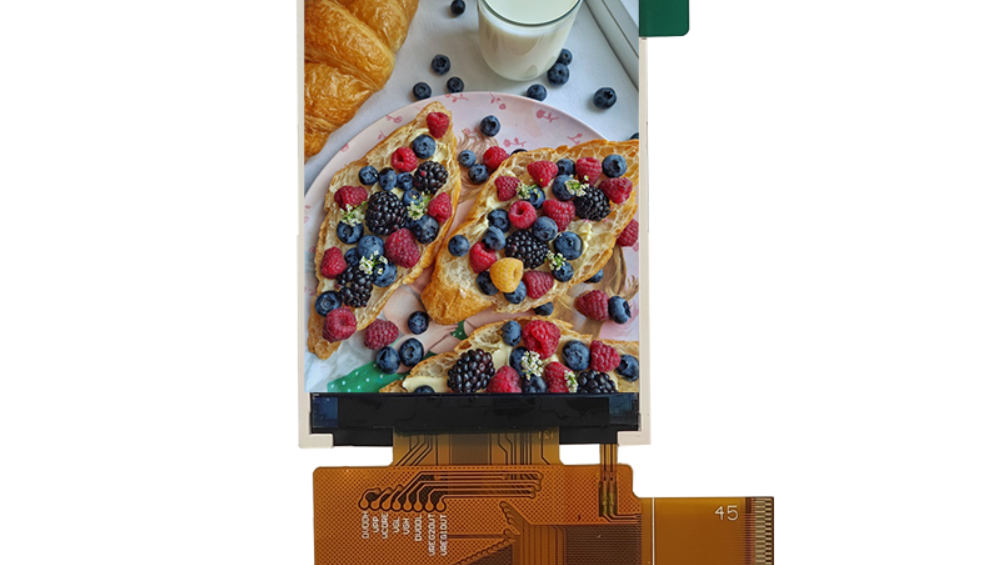
Resolution and refresh rate set the scale of a display data path, but they do not choose an interface by themselves. The decision also needs the colour format, the timing overhead, the lane or bus configuration, what the host can actually generate, the cable and routing conditions, and the input the panel documents — so the engineering move is to convert the visual requirement into a data-path requirement first, then eliminate the paths that cannot meet it.
Part of the Interfaces, Touch & Signal Integrity guide — 41 articles on RGB, SPI, LVDS, MIPI, eDP and the touch controller.
Last updated:
Convert the visual requirement into a data-path requirement
Start with the native active resolution, the intended refresh behaviour and the pixel format. Add the timing the selected panel requires rather than calculating from active pixels alone, and check the complete path against controlled host and panel documentation.
For partial-update interfaces, include the changed area and the update deadline. For continuous-video interfaces, the host must maintain the stream. The model below is deliberately a model with stated assumptions, not a measured throughput limit — implementation and protocol conditions differ, and your panel timing should replace the 20 % overhead figure.
| Active resolution | Typical interface | Payload at 60 Hz, 24-bit | With 20 % blanking and overhead |
|---|---|---|---|
| 320 × 120 | RGB / MCU / SPI | 55 Mbit/s | 0.07 Gbit/s |
| 800 × 320 | RGB 24-bit | 369 Mbit/s | 0.44 Gbit/s |
| 1024 × 600 | RGB or LVDS | 885 Mbit/s | 1.06 Gbit/s |
| 1280 × 800 | LVDS | 1475 Mbit/s | 1.77 Gbit/s |
| 1920 × 720 | LVDS | 1991 Mbit/s | 2.39 Gbit/s |
| 1920 × 1080 | LVDS / MIPI DSI | 2986 Mbit/s | 3.58 Gbit/s |
| 280 × 1424 | MIPI DSI | 574 Mbit/s | 0.69 Gbit/s |
Computed from the model in this article: horizontal pixels × vertical pixels × 60 Hz × 24 bit, plus 20 % for blanking and overhead. Replace the assumptions with the panel’s documented timing before using a row as a specification.
The table is most useful as a scale check. A 1024 × 600 panel and a 1920 × 1080 panel differ by more than a factor of three in payload, which is usually the point at which the interface decision stops being a preference and becomes a constraint. It is also why the same interface family can serve two designs with very different margins once lane count and timing are taken into account.
Eliminate paths the host cannot generate
List the native host outputs, the supported modes, the available lanes or pins, the voltage and clocking, and the software support. A bridge can translate formats, but it adds configuration, power, PCB area, sourcing and validation work; use one only when the resulting path is controlled and documented.
Check the panel-side details against the catalogue
Verify the interface type, channel or lane count, mapping, timing, colour depth, connector, pinout and power/reset behaviour. Resolution matching does not prove electrical compatibility — the same resolution appears on modules with different documented inputs, and the panel’s own timing is the authority.
| Resolution | Module | Documented interface | Brightness | |
|---|---|---|---|---|
| 320 × 120 | S029GQ07NS | RGB / MCU / SPI | 300 nits | product page |
| 800 × 320 | S058HWV08HS | RGB 24-bit | 500 nits | product page |
| 1024 × 600 | S070BWS48ED | RGB | 1000 nits | product page |
| 1024 × 400 | S065BWS08HD | LVDS | 600 nits | product page |
| 1280 × 800 | S101HWX34EP | LVDS | 1000 nits | product page |
| 800 × 1280 | S101BWX49EP-FC38 | MIPI | 600 nits | product page |
| 1920 × 720 | S123HWU08EP | LVDS | 1000 nits | product page |
| 280 × 1424 | S070HWX93HN | MIPI | 550 nits | product page |
Module data from the CDTech TFT LCD catalogue, retrieved 3 October 2026. Each row links to the product page carrying the full specification.
Two rows show why the interface list matters more than a rule of thumb. The 1024 × 600 class appears with both an RGB and an LVDS input, and the 1280 × 800 class appears with LVDS and, in a portrait arrangement, with MIPI. Before design freeze, ask for the module datasheet with the timing table and the initialisation information, and the display cross-reference and replacement guide if an existing part has to be substituted.
Consider routing and cable conditions
Parallel buses may need more pins and matched routing; serialised differential links can reduce pin count but need appropriate layout, impedance and signal-integrity controls. Cable length, connectors, grounding and the enclosure environment can change the practical choice, and those conditions are known earliest in a project that starts the display work before the mechanical design is frozen. Long display cables in industrial machines covers that side of the problem in more detail.
Account for processing and scaling
If a controller or scaler changes the input resolution, refresh or format, verify both sides. Check buffering, latency, frame behaviour and output timing with representative content, and do not assume that a board’s accepted input modes equal its supported raw-panel outputs.
Validate before freeze
Prototype the intended host, bridge or controller, cable and module together. Check startup, native patterns, colour mapping, gradients, motion, update stability, sleep/wake and recovery, and record the exact revisions and configuration. Reopen the choice when the resolution, refresh behaviour, colour format, cable or processor changes.
Failure modes and checks
Insufficient or incorrectly calculated data capacity can produce unstable frames or prevent the mode from starting. Mapping and timing errors can show as wrong colour, shifted content or intermittent images. Signal-integrity problems may appear only with the production cable or enclosure, and scaling can meet a resolution requirement while still degrading the user interface people actually use. Assign each risk a document review and a representative test rather than a single end-to-end demo.
Design-freeze record
Freeze the host output, panel input, timing source, bridge or controller revision, cable, mapping and software configuration. Keep the calculation assumptions and the rejected paths: this record is what prevents a later part substitution from being treated as a connector-only change.
Frequently Asked Questions
How do I calculate the data rate for a display interface?
Multiply the active horizontal and vertical pixel counts by the refresh rate and the bits per pixel, then add the blanking and overhead the panel timing requires. For a 1280 × 800 panel at 60 Hz with 24-bit colour, the active payload is 1,474 Mbit/s and the model in this article reaches about 1,769 Mbit/s once 20 % is added for blanking and overhead. Substitute the panel’s documented timing rather than relying on the 20 % assumption.
Should blanking be included in the calculation?
Yes. Blanking intervals, sync overhead and link coding are all part of the time budget, so a calculation from active pixels alone always understates the requirement. The size of the overhead depends on the panel timing specification and on the protocol, which is why this article gives a stated assumption instead of a universal figure.
Why is there no rule such as "LVDS for 1080p"?
Because the interface family does not fix the capacity: lane or channel count, colour depth, timing and link efficiency all change it, and a bridge or controller can move the constraint somewhere else entirely. Compare the documented host output against the documented panel input for the candidates in front of you rather than ranking interface types in the abstract.
What fails first when the data path is under-specified?
Insufficient or incorrectly calculated capacity usually shows up as unstable frames or a mode that will not start. Mapping and timing errors appear as wrong colour, shifted content or intermittent images, and signal-integrity problems often appear only with the production cable and enclosure. Each of those risks needs both a document review and a test on representative hardware.
What should be recorded at design freeze?
The host output, the panel input, the timing source, the bridge or controller revision, the cable, the pin mapping and the software configuration — together with the calculation assumptions and the rejected paths. Keeping the rejected options is what stops a later part substitution from being treated as a connector-only change.
Next step
Review CDTech custom LCD display solutions, then send the host output, native resolution, refresh requirement and physical connection constraints for a compatibility discussion. A sample and commercial quotation request is the fastest route to a matched module and datasheet, and the quality assurance page describes the records that accompany each batch.
Related articles
 Panel Bring-Up Debugging: No Display, Wrong Timing and FlickerInterfaces, Touch & Signal Integrity
 Display Timing Parameters Explained: Pixel Clock, Blanking and Sync for PractitionersInterfaces, Touch & Signal IntegrityBring-Up Debugging: No Display, Wrong Colours, Flicker and Everything in BetweenInterfaces, Touch & Signal IntegrityIndustrial Displays in High-EMI Environments: Protecting Signals and TouchInterfaces, Touch & Signal Integrity