Wide Temperature LCD: Operating at -40 Degrees and Beyond
A -40 degree LCD requirement is answered in specifications, not in adjectives: the operating range, the storage range, the cold-start time, and the test condition must all be named. Below freezing, liquid crystal response…
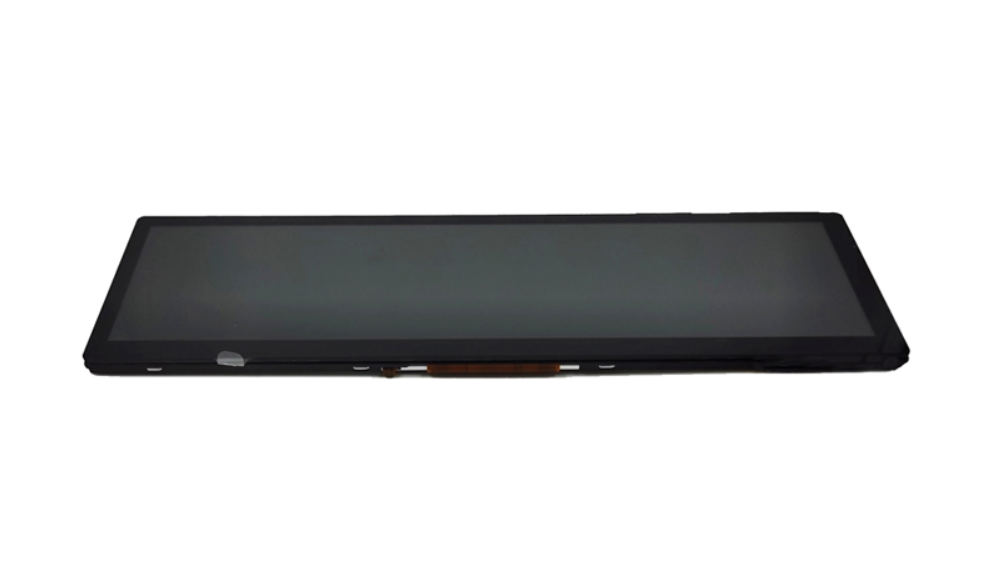
A -40 degree LCD requirement is answered in specifications, not in adjectives: the operating range, the storage range, the cold-start time, and the test condition must all be named. Below freezing, liquid crystal response slows dramatically, so the real question is what the display must do at that temperature. This guide is written for engineers and buyers specifying wide-temperature displays for cold environments.
Part of the Custom Displays, Sourcing & Manufacturing guide — 81 articles on tooling, sampling, MOQ and supply-chain risk.
The Cold Problem: Slow Response and Startup Artifacts
Liquid crystal response slows as temperature falls because the LC material becomes more viscous, and below 0 degC the effect becomes dramatic. As a typical engineering observation, response time can slow by 10 to 50 times below freezing: a panel that switches in 25 ms at room temperature can take several hundred milliseconds or more at -30 degC, which turns video into smears and makes fast-moving text and graphics unreadable.
The failure mode depends on what the display is showing. A static HMI screen or a fixed measurement value may remain perfectly acceptable, because the image only changes occasionally. The same module used for video, scrolling messages, or a touch menu with fast animation becomes visibly slow, and the specification must state which behavior is required rather than simply repeating a temperature number.
Startup adds a second category of problems. At very low temperature the backlight may strike unevenly, brightness can ramp slowly, and the LC layer may take time to reach its intended optical state, so a display that is fine after ten minutes of warm-up can fail a cold-start requirement that expects a usable image in the first minute. Some of these artifacts disappear as the module warms, but a buyer who tests only after warm-up will never see them.
Condensation is the related risk that appears when the module returns to room temperature after a cold soak, especially if the assembly has an air gap or a vented enclosure. The cold test should therefore include a recovery check, because water that condenses on a cold module can leave marks or reach electronics even if the cold operation itself passed.
Wide-Temperature Specifications: Operating and Storage
Wide-temperature specifications are written as operating and storage ranges, and the two must never be mixed. A common industrial operating range is -30 to +85 degC, while -40 to +85 degC is treated as a specialty requirement that usually affects the LC fluid, the backlight components, and the qualification plan. Storage ranges are typically wider, for example -40 to +90 degC, because a powered-off module avoids self-heating and current-driven failures.
| Specification item | Typical industrial range | Specialty cold-range example | What to confirm |
|---|---|---|---|
| Operating temperature | -30 to +85 degC | -40 to +85 degC | Object tested: module or complete assembly |
| Storage temperature | -40 to +90 degC | -40 to +90 degC or wider | Powered-off condition and duration |
| Cold start | Image usable after warm-up | Usable within defined minutes | Startup time, heater availability, power budget |
| Response requirement | Room-temperature value | Slower value acceptable below 0 degC | Content type: static HMI or video |
The range also needs a definition of temperature. Datasheet ranges normally refer to the ambient air around the module, not the enclosure surface or backlight temperature, which can differ by more than 10 degC in a sealed product. A running backlight warms the module, which helps the cold side but hurts the hot side inside a sealed enclosure.
The other distinction is between the datasheet range and the tested severity. A module may quote -40 degC operation based on a functional check after a temperature soak, while a second module quotes the same number based on continuous video operation during the soak. Both numbers look identical on paper, which is why the wide temperature LCD guide explains that the condition behind the range is the specification, and why the buyer should request the cold test report rather than the datasheet summary.
Heater Options for Sub-Zero LCD Operation
When a display must start and run below the capability of the passive module, an electric heater is added to the assembly. Heater designs for displays are commonly built on ITO-coated glass or film behind the backlight or behind the LC cell, and typical engineering values for a small-to-mid-size industrial module are 5 to 15 W of heater power, with control that switches the heater on below a threshold around -10 degC and a warm-up time in the range of 2 to 10 minutes before the image reaches full performance.
The heater changes the design conversation because it adds power, control, and thermal stress. At -40 degC, a battery-powered handheld cannot afford to run a 10 W heater for long, while a mains-powered kiosk or vehicle terminal can. The system specification should therefore state the cold-start budget in watts and minutes, not just the target temperature, because the heater size is chosen to meet both.
Heater control matters as much as heater power. A simple always-on heater wastes energy and can overheat the module in a warm enclosure; a thermostat or a temperature sensor with hysteresis turns the heater on only below the threshold and off again above it.
Thermal stress is the trade-off that inexperienced buyers miss: heating a cold glass stack quickly creates a temperature gradient that can stress the polarizer, the cover, and the bonding layer. A heater specification should include the warm-up profile and a limit on temperature change rate, and the assembly should be tested over repeated cold-start cycles, not once. When the requirement needs heater provisions, CDTech’s engineering review evaluates the module interface and the power budget with the customer’s cold-start profile, and the heater itself is designed and validated as part of the assembly.
Low-Temperature LC Fluid and Cell Design
The panel-level answer to cold operation is an LC mixture with lower viscosity at low temperature and a cell design that preserves acceptable response without sacrificing the high-temperature behavior. Low-temperature LC fluids keep the molecules switching faster in the cold, which directly attacks the response-time problem at the source.
The trade-off appears on the rest of the specification sheet. Changing the LC mixture can shift the operating voltage range, the contrast, and the temperature range of the clearing point, and the cell gap interacts with response time in both directions: a thinner gap responds faster but reduces contrast and tolerances become tighter. A wide-temperature panel is therefore a balanced design, not a single component swap, and the datasheet values at room temperature can differ from a standard panel with the same resolution.
Panel technology also matters: TN, VA, and IPS modes respond differently in the cold, so the response requirement should be stated at the low-temperature limit. The buyer rarely specifies the fluid directly; instead, the buyer specifies the required behavior and lets the panel supplier select the fluid and gap.
The practical specification language is a response or readability requirement at temperature: for example, “text refresh and menu navigation must remain readable at -30 degC,” or a numeric response requirement at the cold limit where the content demands it. A static display can accept a slower response; a video application cannot, and the requirement should say which one applies.
Testing Displays at Low Temperature: Soaks and Response
Cold testing follows the IEC 60068-2-1 cold test method, and the project defines the severity: the temperature, the soak duration, and whether the module is powered during the soak. A common engineering severity is a 72-hour soak at the rated low temperature, but the exact duration is set by the application, not by the standard.
The test has three phases that buyers should see in the report. First, the soak itself: the module is held at the low temperature, powered or unpowered, for the defined duration, and any functional check during the soak is noted. Second, the cold response measurement: response time, luminance, and uniformity are measured while the module is still at temperature, because a measurement taken after warm-up proves nothing about cold performance. Third, the recovery check: the module returns to ambient and is inspected for condensation, optical artifacts, and damage.
Ask the supplier to state whether the response test was performed at temperature and which pattern and method were used, because “response time at -40 degC” is meaningless without the measurement condition. The report should also name the chamber temperature accuracy, the soak duration, and the powered state, and the sample should be a production-representative configuration, including the cover and bonding if the finished product uses them.
CDTech supports this qualification step with module datasheets, drawings, and the documentation needed to define the cold test before sampling. The industrial LCD product lineup shows the standard sizes used as the starting platform, and the cold-range option is confirmed per model with the engineering team.
Applications That Need Cold-Tolerant Displays
Cold-tolerant displays are needed wherever equipment operates outdoors in winter, starts from a cold soak, or moves between temperature extremes. Cold-chain logistics terminals, outdoor signage and kiosks, EV charging stations, railway and marine equipment, telecom cabinets in cold climates, and instruments for polar and high-altitude use all carry the same requirement with different emphasis.
Each application changes the design priority. An EV charging terminal sits idle in -30 degC and must show a readable screen to a user within a short warm-up, which favors a heater budget and fast cold start. A cold-chain handheld runs on battery, so heater power competes with operating time and the display design favors low-power cold behavior over instant response. An outdoor signage screen runs continuously and may be more concerned with the hot end, where the backlight and enclosure raise the module temperature, than with the cold end.
The lesson for the buyer is to define the cold requirement in the application’s language: the ambient temperature, the cold-start time to a usable image, the content type, the power budget during warm-up, and the operating duty. That requirement set, rather than a “-40 degC LCD” label, is what a supplier can evaluate. General display selection logic is covered in How Do You Choose an Industrial LCD Display?, and the same application-first approach applies to the cold range.
Send the cold-start profile and the power budget to the CDTech contact page so the module and heater options can be reviewed against the actual requirement before sampling.
Frequently Asked Questions
At what temperature do LCD displays stop working?
There is no single limit: standard modules are often rated from -20 to +70 degC, industrial wide-temperature modules from -30 to +85 degC, and specialty designs down to -40 degC. The exact range and the usable response at the cold limit are confirmed in the model datasheet.
Why is the display slow in the cold?
Liquid crystal becomes more viscous at low temperature, so the molecules switch more slowly. Response time can slow by an order of magnitude or more below freezing, which smears video and fast-moving content.
What is the difference between operating and storage temperature?
Operating temperature is the range in which the display must work when powered, while storage temperature applies to a powered-off product. Storage ranges are usually wider because no current is flowing and self-heating is absent.
When does a display need a heater?
When the cold-start requirement exceeds what the passive module can deliver, for example instant readability or video operation at -40 degC. The heater size is a trade-off between warm-up time, power budget, and thermal stress on the module.
Related articles
 Touch Screen Grounding: Debug Floating and Earth-Referenced Installations SeparatelyCustom Displays, Sourcing & ManufacturingCapacitive Touch Glove Thickness: Validate Material and Fit Before Setting SensitivityCustom Displays, Sourcing & ManufacturingCapacitive Touch Water Rejection: Distinguish Droplets, Films and Flowing WaterCustom Displays, Sourcing & ManufacturingCapacitive Touch Charger Noise: Correlate Raw Data with Power-Supply ConditionsCustom Displays, Sourcing & Manufacturing