Digital Signage Display: Reliable, Compliant Communication Systems for August 2026
Digital signage display guidance for choosing reliable hardware, accessible content, and coordinated software workflows across commercial environments. Digital Signage Display Market Context A digital signage display is no longer simply a screen that loops…
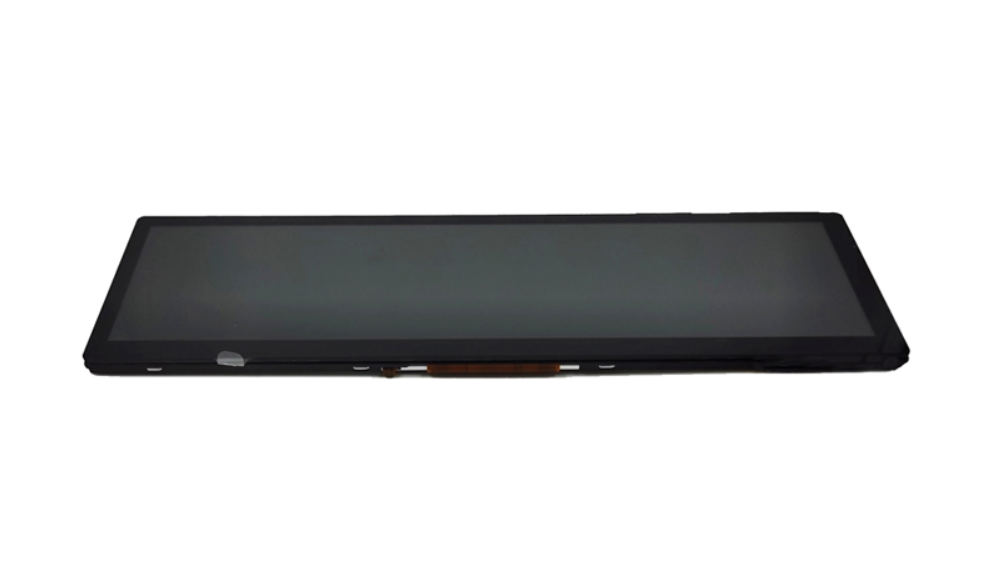
Digital signage display guidance for choosing reliable hardware, accessible content, and coordinated software workflows across commercial environments.
Digital Signage Display Market Context
A digital signage display is no longer simply a screen that loops promotional media. It is part of a connected communication system that must remain readable, available, secure, and manageable across changing operating conditions.
Growth is being driven by retail modernization, factory visualization, self-service terminals, transportation information, and public-facing digital services. At the same time, buyers face tighter requirements around accessibility, energy management, lifecycle reliability, and network security. WCAG 2.2 has also become ISO/IEC 40500:2025, strengthening the international relevance of accessible digital experiences.
A Practical CDTech Introduction
For deployments that require a display component rather than a consumer television, CDTech provides standard and customized TFT LCD display and touch-display solutions. Its portfolio covers vehicle, industrial, bar-type, and custom LCD display applications, alongside touch integration, optical bonding, high-brightness backlight options, and interface customization.
What Is a Digital Signage Display?
A digital signage display is a commercial display subsystem used to present dynamic visual information, advertising, operational data, instructions, or interactive services through coordinated hardware, media software, connectivity, and content management processes.
Digital Signage Display Pain Points
A successful deployment can fail even when the content is attractive. The most persistent issue is the gap between the planned environment and the installed hardware. A screen selected from a specification sheet may look adequate indoors but become difficult to read under bright lighting, unstable in a warm enclosure, or unsuitable for long-running static layouts.
The second issue is fragmented ownership. Marketing may control campaigns, IT may manage the network, facilities may own installation access, and operations may need instant updates. Without clear responsibilities, players remain unpatched, content schedules lapse, and faults are discovered only after customers or staff complain.
Third, software and hardware are often purchased separately without confirming compatibility. A media player may not support the panel’s native resolution, touch integration may not be mapped correctly, or a CMS may schedule content without accounting for screen orientation, power rules, and fail-safe playback.
Finally, regulation and accessibility cannot be addressed at the end of a project. Public or self-service deployments may need readable contrast, non-visual alternatives, controllable moving content, accessible interaction methods, and documented conformity pathways. Auto-updating or moving content should provide users with a way to pause, stop, hide, or control the update frequency where appropriate.
The Operational Cost of Downtime
“A digital signage display creates value only while the right message is visible, readable, current, and available to its intended audience.”
Digital signage continues to expand across commercial, industrial, transport, and public-service applications. This growth is pushing operators away from one-off screen purchases and toward lifecycle-oriented deployment strategies.
Digital Signage Display Options
| Option | Strength | Main limitation | Best-fit deployment |
|---|---|---|---|
| CDTech customized LCD and touch solution | Can combine LCD, touch, cover integration, optical bonding, brightness, and interface requirements | Requires early engineering alignment | Kiosks, industrial terminals, vehicle information, shelf-edge signage |
| Consumer television | Low initial purchase cost and broad availability | May not match enclosure, control, runtime, or integration demands | Short-duration, low-risk indoor messaging |
| Generic commercial display | Familiar signage form factor and standard mounting | Limited flexibility for unusual shapes or integrated touch | Conventional retail or office wall signage |
| Projector | Large image size in controlled lighting | Ambient light and maintenance can reduce usability | Temporary presentations or controlled venues |
| Printed signage | No power or network dependency | Cannot update in real time | Stable instructions and permanent wayfinding |
| Tablet-based display | Compact and interactive | Can be vulnerable to battery, theft, and limited durability | Small check-in points and supervised interactions |
Digital Signage Display Functions
Readable visual delivery
Display selection should begin with viewing distance, lighting, orientation, content density, and expected operating time. A panel should support the intended environment rather than force the environment to accommodate the panel.
Interactive system integration
Touch, cover glass, optical bonding, display interface, operating system, and application behavior must be considered as one user experience. CDTech provides display, touch, and optical bonding capabilities for integrated solutions.
Lifecycle-ready operation
Commercial teams should plan power schedules, remote monitoring, spare units, software updates, content fallback behavior, and replacement availability before installation.
Digital Signage Display Examples
A factory line screen can show production targets, safety notices, and escalation messages without relying on printed noticeboards.
A retail shelf-edge bar display can coordinate pricing, promotions, and product information in a narrow physical footprint.
A transport or visitor kiosk can pair clear visual instructions with touch interaction and accessible alternatives.
Related Display Solutions
Digital signage often requires more than a conventional landscape screen. Narrow merchandising zones may call for a bar-type LCD display that fits shelf edges, transit interiors, or architectural constraints. Industrial sites may need an industrial LCD display designed for instrumentation, control interfaces, and continuous operational visibility.
For a differentiated kiosk or information terminal, a custom LCD display solution can help an integrator align the panel, touch function, cover integration, backlight requirements, and interface selection with the enclosure and application. Vehicle-related projects can also draw on CDTech’s vehicle LCD display category, where space, vibration, and viewing conditions influence design choices.
This cross-category approach is useful because signage systems are rarely identical. A standard lobby screen, a narrow retail strip, and a touch-enabled check-in terminal may share a CMS but require different display architectures.
How to Deploy Digital Signage Display
- Define the communication goal before choosing hardware. Identify whether the display is for advertising, wayfinding, operational data, self-service, safety communication, or transaction support.
- Survey the physical environment. Record light exposure, viewing distance, installation orientation, available power, network quality, enclosure limits, heat conditions, and maintenance access.
- Build a hardware-software compatibility matrix. Confirm display resolution, orientation, interfaces, touch requirements, player operating system, CMS support, remote management, and fallback playback behavior.
- Set accessibility and compliance requirements early. For interactive systems, assess contrast, readable typography, time limits, captions, audio alternatives, tactile or alternative controls, and user control over moving content.
- Pilot the full workflow. Test real content rather than sample videos. Include a network interruption, reboot, content scheduling change, touch interaction, and staff handover in the pilot.
- Establish operational ownership. Assign responsibility for content approval, system administration, security updates, field maintenance, incident response, and replacement planning.
Digital Signage Display Scenarios
Scenario: Retail shelf-edge promotion
Traditional approach: Printed shelf talkers and price cards require manual replacement, can become inconsistent across stores, and cannot respond quickly to inventory or campaign changes.
With CDTech: A bar-type LCD implementation can support dynamic product information in compact merchandising areas. The technical team can align screen dimensions, interfaces, and integration needs with the fixture rather than adapting a standard television to a narrow shelf format.
Scenario: Factory production communication
Traditional approach: Supervisors use whiteboards, paper notices, or verbal briefings. Information may be delayed, difficult to standardize, and unavailable to teams working across shifts.
With CDTech: An industrial LCD display can become part of a connected HMI or signage workflow for production status, quality reminders, safety instructions, and performance indicators. Its display products can support applications in industrial control equipment, instrumentation, and information terminals.
Scenario: Public self-service kiosk
Traditional approach: A standard screen and generic tablet are added late in the kiosk build. Touch behavior, sunlight readability, content layout, and accessibility are then addressed after fabrication.
With CDTech: A custom display-and-touch design can be specified with the enclosure, operating environment, cover integration, and user interface in mind. The result is not automatically compliant, but it gives system designers a stronger foundation for implementing accessible content, alternate interaction paths, and maintainable hardware.
Digital Signage Display FAQ
What is the best digital signage display for bright retail environments?
The best option depends on actual ambient light, screen placement, viewing angle, operating time, enclosure ventilation, and content design. Brightness should not be treated as the only decision factor. Teams should also assess glare, panel temperature, contrast perception, anti-reflective design, and whether content remains readable at the intended viewing distance. For custom requirements, CDTech can support tailored display solutions with high-brightness backlight and interface options.
How does digital signage display hardware work with CMS software?
The display presents output from a media player, embedded computing device, or connected controller. CMS software organizes content, schedules playlists, distributes files, and may report device status. Hardware and software coordination means verifying resolution, orientation, playback formats, touch mapping, network policies, power recovery, and what appears if the network or CMS becomes unavailable.
What certifications should a digital signage display supplier have?
Certification requirements depend on the market and application. For display manufacturing, quality and environmental management systems can be relevant, while medical, automotive, electrical safety, radio, accessibility, and regional product requirements may apply to the finished system. CDTech states that its touch-screen LCD displays have obtained ISO 9001, ISO 14001, ISO 13485, and IATF 16949 certifications. Buyers should still verify which certifications apply to the exact product, configuration, destination market, and end-use device.
How can a digital signage display support accessibility?
Accessibility begins with content and interaction design. Use adequate contrast, legible text, clear language, captions where relevant, sufficient display time, and alternatives to touch-only or visual-only instructions. For interactive experiences, consider keyboard or alternative inputs, audio support where appropriate, focus visibility, and the ability to pause or control motion. WCAG 2.2 is a valuable reference for global digital-service projects.
Are IPS LCD screens suitable for always-on digital signage?
IPS LCD can be suitable for many signage and information-display applications because of its viewing characteristics, but suitability depends on the specific panel, operating schedule, thermal conditions, static-content pattern, and maintenance design. Static elements such as logos or persistent dashboards should be assessed during content planning. IPS LCD can support digital signage and transport information systems when the display and content are selected for the intended duty cycle.
How can businesses reduce digital signage display energy use?
Use scheduled on/off operation, automatic brightness policies where appropriate, low-power standby behavior, and content schedules matched to operating hours. Hardware procurement should account for total energy use, not only purchase price. Energy-efficient commercial displays, appropriate power management, and well-planned operating hours can reduce unnecessary consumption throughout the display lifecycle.
Digital Signage Display Conclusion
Digital signage display projects succeed when they are designed as operating systems for communication rather than isolated screens. The most important choices concern environmental fit, content governance, software compatibility, security, accessibility, and serviceability. CDTech’s standard and custom TFT LCD, touch, optical-bonding, and interface capabilities give integrators options when a typical off-the-shelf display does not fit the physical or functional requirements of the deployment.
Plan a Better Display System
CDTech is a display manufacturer providing TFT LCD, touch display, HDMI display, and customized display solutions for industrial, automotive, medical, smart-home, and information-terminal applications. Discuss the environment, integration requirements, and target user workflow before finalizing a digital signage display specification.