Refrigerated and Frozen Display Applications: LCD Behaviour Below Zero
LCD displays below zero: response time and ghosting, contrast loss in cold aisles, condensation and frost, heated front glass and freeze-thaw sealing tests.
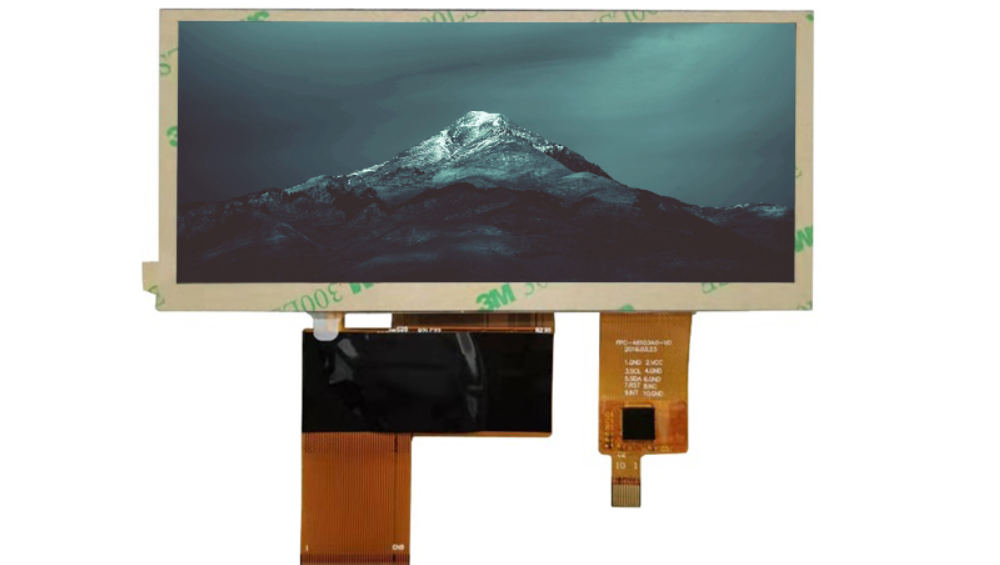
Cold does not break an LCD, it slows it down and changes what it looks like. In a freezer aisle the symptoms are a scrolling price that smears, a screen that looks washed out in the cabinet’s lighting, and a lens of condensation that appears the moment a door is opened. Each is addressable, and each is cheaper to address in the specification than in a store rollout.
What happens to an LCD below zero
The liquid crystal becomes viscous and switches more slowly.
Liquid crystal response time is strongly temperature dependent: as the material approaches and passes zero, viscosity rises and switching slows, which appears as ghosting, smearing on moving content and reduced contrast. Below the specified operating limit the material may stop switching usefully at all. The rate at which this happens depends on the LC mixture, so a panel specified for a wide temperature range behaves noticeably better than a standard module.
Two practical questions follow: what is the lowest temperature at which the display must remain readable, and how fast must it be usable after the door is opened or the cabinet is powered up? CDTech’s notes on what wide temperature means for LCD displays cover the difference between storage, operation and start-up ratings.
Response time and ghosting in freezer aisles
Static content hides the problem; moving content exposes it.
A static price displayed in a cold aisle looks acceptable even on a panel with poor low-temperature response, because nothing is moving. The problem appears with scrolling text, transitioning promotions or any animation, where the previous frame remains visible as a trail. The design answers are to use a wide-temperature panel, to avoid motion in the content, and to specify the response time at the operating temperature rather than at 25 C.
Specifying a maximum response time at the lowest operating temperature, with the measurement method stated, is the only way to compare two candidate panels. The alternative – accepting a room-temperature figure – leaves the cold behaviour to chance.
Contrast, brightness and the cold-aisle look
Cabinet lighting and cold glass change perceived contrast.
Freezer cabinets are internally lit, often brightly, and the display is viewed through the cabinet’s own front glass as well as its own protective layer. Both surfaces reflect, and a cold, condensation-prone front adds scattering. The result is a screen that appears hazy and low in contrast even when the panel’s specification is unchanged. Anti-glare treatment, optical bonding and careful positioning relative to the cabinet’s lights all help, and the readability target should be measured in the aisle with the door closed.
Because the cabinet’s lighting is constant, the requirement is more predictable than in outdoor applications, which makes a measured target realistic rather than aspirational.
Condensation and frost on the front surface
The moment the door opens is the worst case.
Warm, humid aisle air meets a cold display surface and condenses immediately; in freezers, that film then freezes. The result is a blurred screen for the first seconds or minutes of every door opening, exactly when a shopper is looking at it. Countermeasures are a heated front glass, a hydrophobic surface treatment that discourages film formation, and – where the display is inside the cabinet – a sealed, bonded assembly to prevent internal fogging as well.
The design trade is power: heating a front glass costs energy continuously, and in a freezer it adds to the cabinet’s refrigeration load. The control strategy therefore matters as much as the heater: heat only when needed, using a surface temperature or humidity trigger.
Heated front glass: power, control and failure modes
A heater is a system, not an accessory.
Indium tin oxide or fine-wire heaters laminated into the cover glass keep the surface above the dew point, clearing or preventing condensation. They add a power budget, a controller and new failure modes: a broken bus bar creates a cold patch, and a failed sensor can leave the heater permanently on, which wastes energy and can cause localised heating that affects the liquid crystal. The specification should state the target surface temperature, the control method, and the behaviour on sensor failure.
An alternative where power is limited is to accept a brief condensation period and design the content so the primary information remains legible through a light film – large characters in high contrast rather than fine detail.
Sealing and materials through repeated freeze-thaw
Every door opening is a thermal cycle.
A display in a freezer door experiences hundreds of thousands of thermal cycles over its life, and the materials that suffer are the gasket, the adhesive and any polymer in the stack. Compression set in a gasket and adhesive embrittlement both appear as ingress or as optical degradation long before a functional failure. Bonding the display to the cover glass removes the internal air volume, which both eliminates the condensation site and reduces the mechanical work the seal has to do.
Test with the production gasket and adhesive over a representative number of cycles, and inspect the edge and bond area afterwards. A single soak test at the low temperature proves very little about a door that opens every few minutes.
Touch in cold conditions with gloves
Cold, dry, gloved fingers are the worst case for capacitive sensing.
Shoppers and staff wear gloves in freezer aisles, and gloved hands are cold and dry, which reduces the capacitive signal. Where touch is required – for example a staff-facing stock check – the practical options are a resistive panel, a capacitive panel tuned for the specific gloves with a limited number of large targets, or physical controls. Because the surface may also be wet from condensation, the controller must reject water films without rejecting deliberate presses.
Validate in the aisle with the actual gloves and with condensation present, rather than on a bench at room temperature.
Backlight behaviour and start-up at low temperature
Cold LEDs and cold drivers behave differently.
LED luminous output rises slightly as temperature falls, so a display calibrated warm may appear brighter cold, and the driver’s behaviour at low temperature affects start-up: some drivers need soft-start to avoid an inrush that a cold supply cannot provide. Where the cabinet powers up after a defrost cycle or a power failure, the display should reach a readable state within a defined time, and that requirement should be tested with the cabinet at its lowest operating temperature.
Heated enclosures or heater layers change the calculation, since the display may be operating well above the cabinet’s air temperature by the time it is viewed.
Door-mounted vs in-cabinet mounting
Location decides which problems dominate.
| Location | Temperature seen | Dominant issues |
|---|---|---|
| Freezer door, outer face | Aisle ambient, with cold conduction from the cabinet | Condensation, touch with gloves, condensation on the inner face |
| Freezer door, inner face | Cabinet temperature | Response time, frost, internal fogging |
| Inside cabinet, above shelves | Cabinet temperature with lighting gain | Response time, condensation when the door opens, viewing angle |
| Chilled cabinet front | Above zero but damp | Condensation, cleaning, touch |
The mounting choice usually precedes the display choice in a fixture redesign, so it should be made with these consequences visible. Where the display is on the outer face of a door, a heated front or a hydrophobic treatment is nearly always part of the specification.
Specification and test plan for cold-chain displays
Test the cycle, not the temperature.
- State the minimum operating temperature at the display, not the cabinet’s air temperature.
- Specify maximum response time at that temperature, with the measurement method.
- Specify the readability target measured in the aisle with the door closed.
- Define the condensation strategy: heater, treatment, or content design, with the control method.
- Run a freeze-thaw cycle test with door openings simulated, then inspect the seal and bond.
- Validate touch with the gloves used, with condensation on the surface.
- Define the readable state time after a power interruption at the lowest temperature.
Materials in the front assembly should be checked for low-temperature behaviour, and the display’s own optical performance should be measured before and after cycling rather than only at the end. Scratch and coating durability use methods such as ASTM D3363 and haze measurement such as ASTM D1003, and enclosure conventions for retail equipment come from bodies such as NEMA. Cold-chain and retail technology practice is covered by organisations such as the EHI Retail Institute.
FAQ
Can a normal LCD display work in a freezer?
It can operate, but response time slows markedly and contrast may fall, so the result is usually unacceptable for scrolling or transitioning content. A wide-temperature panel behaves noticeably better; the specification should state the required response time at the lowest temperature rather than relaying a room-temperature figure.
Why does a freezer display fog up when the door opens?
Warm, humid aisle air meets the cold surface and condenses immediately, and in a freezer the film can freeze. Options are a heated front glass, a hydrophobic treatment that discourages film formation, and content designed with large high-contrast characters that remain legible through a light film.
Does a heated freezer display glass use much power?
It adds a continuous load that also increases the cabinet’s refrigeration demand, so the control strategy matters as much as the heater. Heat only when the surface is near the dew point, using a surface temperature or humidity trigger, and define the behaviour if the sensor fails.
Does touch work in a freezer aisle with gloves?
Capacitive touch can work with thin gloves if it is tuned for them and targets are large, but cold, dry, gloved fingers plus condensation on the surface make it marginal. A resistive panel or physical controls are more reliable for staff functions in these conditions.
Next step
Send the cabinet type, mounting position, minimum temperature, door-opening frequency and touch requirement to CDTech; the reply will propose the panel class, heating or coating strategy and the test plan for the aisle conditions.
Contact sales@cdtech-lcd.com or use the contact page; wide-temperature and bar formats are listed under bar-type LCD displays.
Related articles
 ESD Protection for Display Modules: Design, Test and Field RealityInfo
 Hydrogen, Gas and Chemical Process Displays: Where Certification Drives the DesignInfoResistive Touch Screens: Where They Still Beat Capacitive in 2026Info
 Haptic Feedback and Display UX in Industrial Equipment: When Touch Is Not EnoughInfo