What Are the Most Common Custom LCD Design Mistakes?
Custom LCD programs fail on the bench more often than on the road—usually from design mistakes made early: the wrong interface, brightness chosen without the ambient, an FPC that exits the wrong way, tolerances…
Part of the Custom Displays, Sourcing & Manufacturing guide — 81 articles on tooling, sampling, MOQ and supply-chain risk.
Mistake 1: Choosing the Wrong Display Interface
The interface must match the host: a processor with MIPI-DSI cannot directly drive an LVDS panel, and a small MCU cannot sustain a high-bandwidth parallel interface. Interface mistakes surface at integration, when the fix is a bridge chip or a panel swap. Avoid it by freezing the host interface before comparing panels and checking the bandwidth against the resolution and content. Interface selection guides cover the choices; the mistake is choosing without them.
Mistake 2: Specifying Insufficient Brightness
Brightness specified in a dark room fails in the field. If the display faces daylight, window light, or a bright machine area, the luminance must be set for the worst ambient with an optical stack that controls reflection. The fix after production is expensive—a brighter backlight changes power, thermal, and cost. Avoid it by defining the ambient scenario before the brightness number. Sunlight readability has its own design guide; the mistake is quoting nits without the environment.
Mistake 3: Getting the FPC Direction Wrong
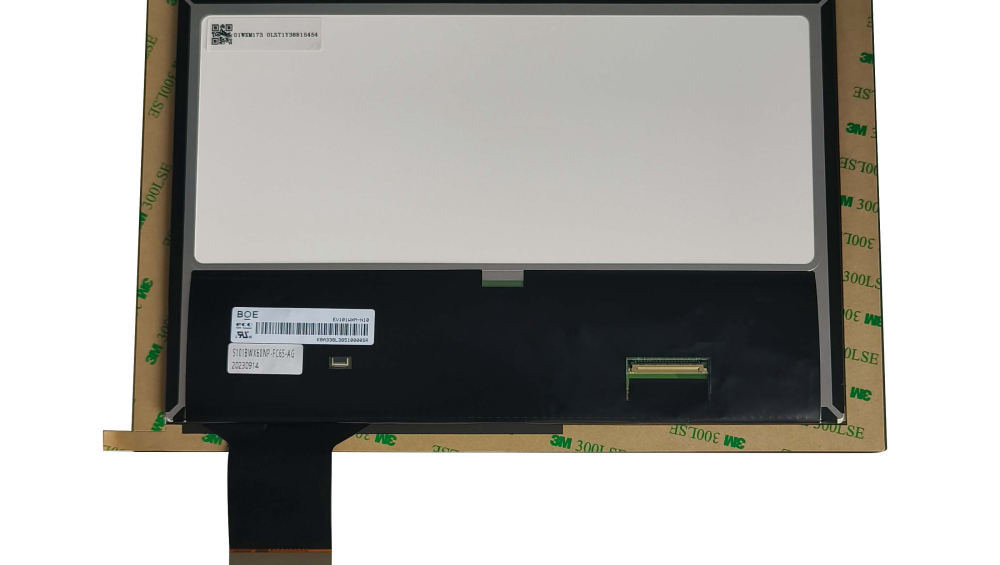
The FPC exit direction decides how the display routes to the host, and a wrong direction forces a board or mechanical redesign. FPC mistakes also include incorrect length, wrong connector position, or routing through a bend that stresses the copper. Avoid it by integrating the FPC route into the mechanical design from the start and confirming the exit direction, length, and connector on the drawing before tooling. FPC design guidance lives in its own guide; the mistake is treating it as a detail.
Mistake 4: Ignoring Enclosure Tolerances and Fit
A display that fits the nominal drawing may not fit the real enclosure: tolerances stack between the housing, the mounting, and the panel’s own tolerances. Ignoring tolerance analysis produces displays that bind, gap, or shift after assembly. Avoid it by defining the enclosure tolerances and the display’s allowable envelope, and verifying fit on first articles with the actual housing. The mechanical design guides cover fit practice; the mistake is assuming nominal dimensions meet.
Mistake 5: Deciding the Touch and Bonding Stack Too Late
Touch and bonding change the cover, the stack thickness, the optical behavior, and the mechanical fit. Deciding them after the mechanical design freezes forces rework across multiple drawings. Avoid it by choosing the touch type and the bonded-or-air-gap construction early, then specifying the stack completely before tooling. Touch and bonding guides cover the options; the mistake is leaving the stack open until samples.
Mistake 6: Missing the Operating Temperature Requirement
A display specified for room temperature fails in a hot enclosure or a cold climate. The operating temperature requirement must include the environment inside the product—a sealed, sun-loaded housing runs hotter than the room—plus storage and transport. Avoid it by defining the full temperature profile before selection. Wide-temperature guidance explains the ranges and build options; the mistake is assuming standard range covers the product.
Mistake 7: Neglecting the Connector Position
The connector position determines how the display connects to the board and whether the assembly is serviceable. A connector that lands against a component, points the wrong way, or uses an unserviceable locking style creates assembly and maintenance problems. Avoid it by specifying the connector type, position, and orientation on the drawing with the mechanical and service constraints, and verifying it on the first sample. Connector and FPC guidance applies; the mistake is leaving the position to the supplier’s default.
If you are starting a custom LCD design, run these seven checks before tooling—each one is cheaper to fix on paper than after samples. CDTech supports custom LCD design review across the custom display range—contact us with your specification for an early design check.
Related articles
 Touch Screen Grounding: Debug Floating and Earth-Referenced Installations SeparatelyCustom Displays, Sourcing & ManufacturingCapacitive Touch Glove Thickness: Validate Material and Fit Before Setting SensitivityCustom Displays, Sourcing & ManufacturingCapacitive Touch Water Rejection: Distinguish Droplets, Films and Flowing WaterCustom Displays, Sourcing & ManufacturingCapacitive Touch Charger Noise: Correlate Raw Data with Power-Supply ConditionsCustom Displays, Sourcing & Manufacturing