Ventilator and Infusion Pump Displays: Design Constraints Nobody Documents
Critical care devices have the most conservative display requirements in medicine and the least written down. The datasheets describe luminance and contrast; the constraints that actually decide the design are the alarm hierarchy on…
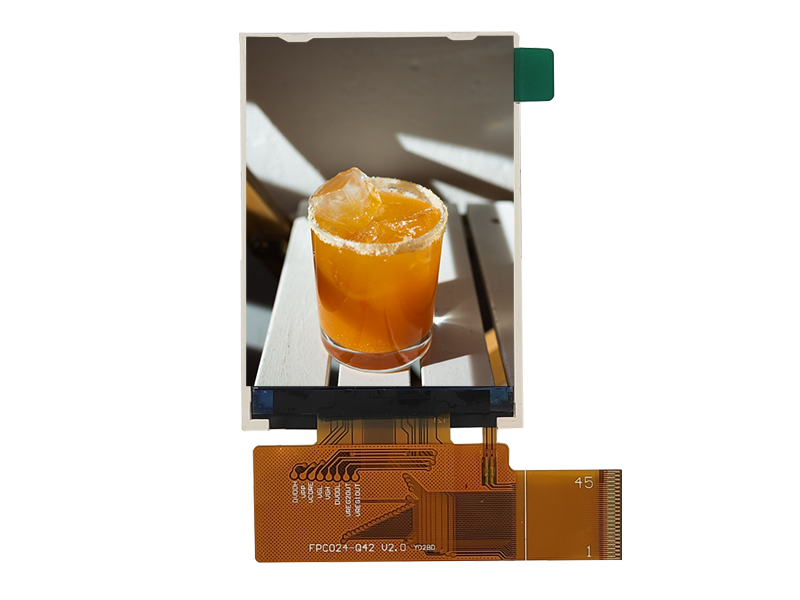
Critical care devices have the most conservative display requirements in medicine and the least written down. The datasheets describe luminance and contrast; the constraints that actually decide the design are the alarm hierarchy on a 5-inch screen, the flicker that appears only in a darkened ICU at 3 a.m., the power budget of a battery-powered pump, and the evidence a validation engineer will need two years later. These are the constraints worth documenting.
Why these devices need readable, boring displays
Boring is a design goal in critical care.
An ICU display is read under stress by clinicians who may be at the end of a night shift, so the design objective is instant, unambiguous reading with no visual surprises. That rules out aggressive motion, decorative colour, gradients behind critical values and any animation that competes for attention. Flat, high-contrast fields with a strict typographic hierarchy are safer than visually richer interfaces, even where the richer interface tests better in a calm usability session.
The display specification that follows prioritises luminance uniformity, stable colour, a flicker-free dimming range and predictable warm-up behaviour. Image processing that improves perceived sharpness but adds latency or edge artefacts works against these priorities.
Alarm hierarchy and colour use on a small screen
Colour is a scarce resource on a small display.
Alarm systems use colour, flashing and sound in patterns defined at the device level, so the display must deliver those attributes reliably at the required size. On a small screen, several priority levels compete for a limited area, and the practical solutions are spatial separation – dedicating a region to alarm messages – combined with luminance and border treatment rather than an ever-growing colour palette. Colour-blind users must also be able to distinguish priorities without relying on hue alone.
Uniformity matters here: an alarm banner that appears dimmer at one corner of the screen because of backlight non-uniformity is a real safety-relevant defect. Specify a uniformity requirement at the luminance levels used for alarms, not only at maximum brightness.
Flicker and PWM dimming in a dimmed ICU
Flicker is most visible where the LEDs are least driven.
Pulse-width dimming reduces duty cycle to lower brightness, and at very low duty cycles the modulation can be perceptible, particularly in peripheral vision and in a dark room. For a bedside device that dims to a low level at night, the requirement should be expressed as a maximum modulation depth across the dimming range, with the measurement conditions stated. DC or hybrid dimming approaches hold a smooth low end, which is why they are common in bedside equipment.
The physics and the measurement approach are covered in CDTech’s explainer on flicker-free displays for medical equipment. Validation should include the lowest brightness the device uses, not a mid-range setting.
Touch behaviour with medical gloves
Nitrile is friendlier than latex, and double-gloving defeats both.
Nitrile and latex examination gloves are thin enough that a capacitive sensor can usually be tuned to detect them reliably, provided the cover glass is not too thick. Double-gloving, thick sterile gloves or a glove with a moist surface reduce the signal further. The clinical workflow also matters: a nurse adjusting a pump with one hand while holding a line with the other needs large targets and forgiving touch detection rather than precise gestures.
Validate with the actual gloves in the actual workflow, and keep a physical control for any function that must be operated without looking. CDTech’s guidance on medical touch requirements covers the sensor and tuning implications.
Button vs touch: redundancy and fail-safe input
Critical adjustments should not depend on one input method.
Devices that deliver therapy typically keep a physical control for the parameters that matter most – flow, rate, volume – and use touch or a dial for the rest. The design reason is not nostalgia: a physical control provides tactile confirmation, works with any glove and remains operable if the touch subsystem fails. The display then becomes an output and a secondary input rather than the single point of failure.
Where touch is the primary interface, define the failure behaviour explicitly: what happens if the touch controller stops reporting, and whether the device alarms or falls back to a safe state. That definition belongs in the design history file, not only in firmware.
Portrait and landscape orientations
Orientation changes the mechanical and optical requirements.
Ventilators and pumps are mounted in different ways – on a pole, on a bedside rail, on top of a stack – and the display orientation often changes between deployments. A module specified for landscape viewing has different viewing-angle behaviour in portrait, and polariser orientation determines whether a display viewed through polarised sunglasses or eye protection darkens when rotated. Where the device supports both orientations, validate both, including the dimming and uniformity behaviour.
Mechanically, portrait mounting changes the load path and the cable exit, so the mounting design should be validated in the orientation used in service even if the panel is orientation-agnostic.
Power budget on battery-operated devices
The display is often the second-largest load after the pump.
On a battery-powered infusion pump, transport ventilator or bedside monitor on battery, the backlight dominates display consumption and competes directly with therapy delivery time. The design levers are lower default brightness, efficient backlight drivers, aggressive inactivity dimming and, where the interface allows, a display technology that needs less light. The specification should state the display’s consumption at the brightness levels actually used, not at maximum.
Power sequencing also matters: inrush current at start-up can disturb a device running on a partially discharged battery. CDTech’s notes on power sequencing and inrush current cover the practical measures.
Cleaning, disinfection and surface chemistry
Bedside devices are cleaned more often than almost any other equipment.
In critical care, devices are wiped between patients and often several times per shift, with agents that vary by institution. The materials that degrade first are the printing, the adhesive edge and the surface coating, and the failure is usually cosmetic before it is functional – a haze or a lifted print that affects readability. Repeated-cycle compatibility testing with the named agents is the only credible evidence, and it should be run on production materials.
A bonded front removes the gap where fluid collects and eliminates internal fogging. CDTech’s material on hygiene, disinfection and chemical resistance covers the material choices.
Small batch and long-tail supply requirements
Critical care products are built in modest volumes for many years.
Annual volumes for a ventilator or pump model can be in the hundreds to the low thousands, with a service tail extending fifteen years. That combination argues for standard panel classes with custom front assemblies rather than fully custom panels, and for a supplier relationship that treats small quantities as a normal programme rather than an exception. Where a panel class changes, the notification and last-time-buy provisions matter more than the unit price.
Where the device uses a custom front, keep the tooling under configuration control and document the replacement path, because re-tooling a cover glass fifteen years later is slow and expensive.
Validation documentation for a critical-care display
Collect the records while the design is current.
- Flicker measurement across the full dimming range, at the lowest brightness used.
- Luminance uniformity at alarm levels, with the measurement grid stated.
- Warm-up behaviour: luminance and colour over the first hour from cold.
- Touch validation with the named gloves, including double-gloving if used.
- Cleaning and disinfection repeated-cycle results with named agents.
- Power consumption at the brightness levels used in service.
- Fail-state behaviour on loss of signal and recovery timing.
Device-level compliance remains with the manufacturer; the applicable framework is published as IEC 60601-1, the European context appears on the Commission’s medical devices pages, and quality-system practice for suppliers is described through bodies such as AAMI.
FAQ
What display is used in a ventilator?
Most ventilators use a mid-size TFT module in the 7-inch to 12-inch class with a wide dimming range and a flicker-free low end, often bonded with an anti-glare front. The critical specification is stability and uniformity at the low brightness levels used at night, not maximum luminance.
Why do infusion pump screens flicker at night?
Flicker appears when pulse-width dimming reduces the duty cycle to very low values, which is exactly the setting used in a dark room. DC dimming or a hybrid scheme with a wider control range holds the low end smooth; the requirement should be written as a maximum modulation depth across the range.
Can a ventilator display work with gloves?
Usually yes with nitrile or latex examination gloves, if the controller is tuned for the glove type and the cover glass is not too thick. Double-gloving or thick sterile gloves can defeat capacitive sensing, which is one reason critical parameters normally keep a physical control.
How much power does a medical device display consume?
The backlight dominates, so consumption scales with brightness and screen area. Specify consumption at the brightness levels actually used rather than at maximum, and design inactivity dimming into the device; on battery-powered pumps this is often the single largest lever on run time.
Next step
Send the device type, brightness levels in use, glove type and cleaning agents to CDTech; the reply will state achievable flicker behaviour, uniformity at alarm levels, touch tuning limits and the power figures for the proposed module.
Contact sales@cdtech-lcd.com or use the contact page.
Related articles
Sunlight-Readable Industrial Displays: How to Hit the Numbers in Real Ambient LightInfo Choosing an Industrial HMI Display for a Machine That Must Run 24/7 for Ten YearsInfo
 Digital Cockpit Displays: Specifying a Multi-Screen Architecture Without Reliability SurprisesInfo
 OLED Versus LCD for Industrial HMI: Lifetime, Burn-In and FitInfo